
Why Venn Diagrams Still Matter
Venn diagrams are one of the oldest visual thinking tools and one of the most misused. People slap two overlapping circles on a slide and call it a day. The result is vague, unhelpful, and forgettable.
A good Venn diagram does something specific: it makes overlap visible. When two or more categories share traits, a Venn diagram shows exactly what belongs where. That clarity is why they keep showing up in boardrooms, classrooms, and strategy docs.
These 10 examples cover real scenarios — business strategy, product positioning, hiring, education, and daily decisions. Each one demonstrates a pattern you can replicate with venn diagram maker in under two minutes.
1. Product Feature Overlap
You have three products in your lineup. Customers keep asking how they differ. A feature overlap Venn puts each product in a circle and places shared features in the intersections.
Example: a SaaS company with Basic, Pro, and Enterprise plans. The center overlap (all three) shows core features like "Dashboard" and "Email Support." The Pro-Enterprise overlap shows "API Access." Enterprise-only shows "SSO" and "Dedicated Account Manager."
This works because it answers the exact question customers have: "What do I get if I upgrade?" Build one at venn diagram maker and embed it on your pricing page.

2. Hiring Criteria Assessment
Recruiters juggle multiple requirements for every role. A hiring Venn diagram maps three criteria — say, "Technical Skills," "Culture Fit," and "Experience" — and places candidates in the appropriate regions.
The candidate who lands in the center overlap is the unicorn hire. Candidates who hit two of three are strong contenders. Candidates in a single circle need development in the missing areas.
This is not a formal scoring system — it is a visual shorthand for hiring discussions. It keeps conversations focused and reduces the "I just have a gut feeling" problem.
3. Skill Gap Analysis for Teams
Map your team's capabilities against project requirements. One circle for "Skills We Have," one for "Skills We Need," and one for "Skills Available to Hire."
The overlap between Have and Need is your coverage zone — no action required. The Need-only zone is your gap. The overlap between Need and Available to Hire tells you what to recruit for. The Have-only zone reveals underutilized talent.
This approach works for mind map examples brainstorming too — start with the Venn, then mind-map solutions for each gap. Use comparison maker if you need a more detailed side-by-side breakdown.
4. Marketing Audience Segmentation
You run campaigns on three channels: Instagram, LinkedIn, and email. A channel audience Venn shows who you reach on each and where audiences overlap.
The Instagram-LinkedIn overlap might be "Millennial professionals who follow industry influencers." The center overlap is your highest-value segment — people you can reach on all three channels for maximum touchpoints.
Use this to decide where to invest budget. If 40% of your audience only exists on one channel, doubling down there has outsized returns. Explore templates for pre-built marketing infographic layouts.
Ready to build?
Open the free editor and start creating — no signup needed.
5. Curriculum Planning in Education
Teachers building interdisciplinary units use Venn diagrams to find natural overlap between subjects. One circle for "Math Concepts," one for "Science Topics," one for "Real-World Applications."
A lesson about population growth sits in the center — it involves exponential functions (math), ecology (science), and urban planning (real-world). That overlap is where the strongest lessons live.
Students also use Venn diagrams to compare literary characters, historical events, or scientific theories. The format forces them to identify specific similarities rather than writing vague comparison essays.
6. Competitive Analysis and 7. Decision-Making Framework
Competitive analysis: put your product, Competitor A, and Competitor B in three circles. Shared features go in overlaps. Your unique features go in your circle alone. This instantly reveals your differentiation and where you are losing on feature parity.
Decision-making: choosing between three job offers? Three circles: "Salary & Benefits," "Growth Opportunity," "Work-Life Balance." Place specific factors from each offer into the relevant regions. The offer with the most items in the center overlap is your best overall fit.
Both patterns work because Venn diagrams force you to be explicit about criteria. Vague preferences become concrete comparisons. Build either pattern in editor with drag-and-drop widgets.
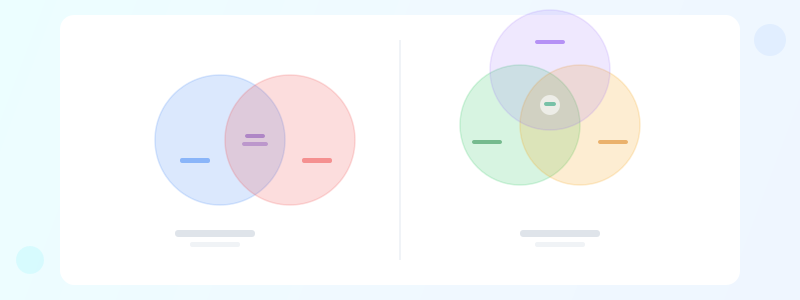
8-10: Study Concepts, Partnership Evaluation, and Content Strategy
Study concepts (8): students compare two theories — Keynesian vs. Monetarist economics, for example. The overlap zone holds shared assumptions. This is more rigorous than a simple "compare and contrast" essay because it forces categorization.
Partnership evaluation (9): considering a business partnership? Map "What I Bring," "What They Bring," and "What We Both Need." The center overlap is the foundation of the partnership. Empty overlaps signal a mismatch.
Content strategy (10): map "Topics Our Audience Wants," "Topics We Have Expertise In," and "Topics With SEO Opportunity." The center is your content sweet spot — write those posts first. See how to create infographic for turning this analysis into a visual content plan.
All ten examples follow the same principle: make hidden overlap visible. If your data does not have meaningful overlap, a Venn diagram is the wrong tool. Use a comparison maker or a simple table instead.