Free Pie Chart & Pie Graph Maker
Charts & GraphsCreate pie charts, pie graphs, and circle charts online for free. Enter slice labels and values, customize colors and percentages, export as PNG — no signup, no watermark.
Free PNGNo signupNo watermark
Loading tool...
Was this tool helpful?
Watch the Tutorial
Grab a rim handle and the slices rebalance around your hand, add and name a slice on the chart, switch to a donut so the middle carries the total, and choose what the labels report.
How to Use
- 1
Open the tool
Launch the free pie chart maker — no account needed.
- 2
Pick a starter
Start from a traffic, budget, survey, or revenue example, or edit the defaults straight away.
- 3
Click the chart and type
The chart itself is the editor — click the title, any legend label or value, or the donut center to type. Enter a value directly, or drag the round handle on the rim between two slices to resize them against each other.
- 4
Customize
Recolor a slice, pull it out of the pie, switch pie to donut, choose label mode and legend position, and pick a theme.
- 5
Export
Download as PNG that matches the preview 1:1 — free, no watermark.
Why Choose GraphMake?
Pie Chart, Pie Graph, Circle Chart — Three Names, One Visualization
Pie chart, pie graph, and circle chart all describe the same thing: a circle divided into slices, where each slice's angle is proportional to its share of the total. Which name gets used mostly comes down to context. "Pie chart" is standard in business analytics and dashboard software. "Pie graph" is more common in education and science textbooks. "Circle chart" is the casual catch-all — the name someone uses when they do not know which of the first two applies.
William Playfair invented the pie chart in 1801 alongside the bar chart, and it has stuck around ever since because it communicates "parts of a whole" faster than any other chart type. The circle itself reads as "the total"; the slices read as "the components". No legend needed for the big picture.
Our tool produces all three from the same Pie Chart widget. Drop it in, enter your data, and style it. The terminology you use with your audience is whatever feels natural — the chart is identical.
When a Pie Chart Is the Right Choice
Reach for a pie chart when your data represents a complete whole that breaks into a small number of categories, and the reader cares about each category's relative share. Budget splits, market share, and survey response distributions are the textbook fits.
Two things need to be true. First, the values must sum to a meaningful whole — 100% of total revenue, 100% of survey respondents, 100% of budget. If they do not sum to anything meaningful, a pie chart misleads. Second, you need few categories — three to six. Beyond that the slice angles get close in size and humans struggle to compare them visually.
If you have many categories or if the values do not represent a whole, use a bar chart (at bar chart maker) instead. Bars give precise length comparisons that pies cannot match.
Pie Chart vs Donut Chart vs Polar Area Chart
Pie chart: solid circle, slice angle encodes value. Best for three to six categories summing to a whole.
Donut chart: pie with the middle cut out. Same data logic as pie, but the hole in the middle is useful real estate for a total, a headline number, or an icon. Available at donut chart maker or by adjusting the inner radius on the pie widget.
Polar area chart (also called a Nightingale rose or coxcomb): every slice has the same angle, but the radius encodes the value. Use this when the categories are equal-weight but the quantities differ — it is not a "parts of a whole" chart. Available at polar area chart maker.
Design Tips for a Readable Pie Graph
Order slices by size. Largest slice at 12 o'clock, then clockwise in descending order. This makes the ranking readable without the viewer having to measure every angle.
Use a distinct, restrained color palette. Every slice gets a unique color, but avoid rainbow palettes — pick three to six colors that pair well and stick with them.
Label both the name and the percentage on each slice when space allows. For small slices, move the labels outside the circle with leader lines rather than trying to cram them inside.
Combine tiny slices into "Other". Slices under about 3–5% of the total are visually negligible; they clutter the chart without adding information. Aggregating them into an "Other" bucket cleans up the design.
What You Can Create
Budget Breakdown
Show how total budget splits across categories like rent, food, savings, and transport — a classic pie chart job.
Market Share
Compare company or product market share as percentages of the total market.
Survey Results
Display multiple-choice response distributions as a pie graph — each slice is an answer option.
Portfolio Allocation
Visualize an investment portfolio split across asset classes (stocks, bonds, cash, alternatives).
Traffic Sources
Website traffic split by channel — organic, referral, direct, paid — reads naturally as a circle chart.
Start from a Template
Jump-start your design with a ready-made layout — just replace the data.
Business Stats Dashboard
Showcase KPIs with stat cards, a bar chart and pie chart. Perfect for annual reports and executive summaries.
Use this templateSurvey Results
Present poll and survey data with pie charts, donut charts and key finding callouts.
Use this templateSocial Media Stats
Show follower counts, engagement rates and growth across platforms with bold stat cards.
Use this templateFrequently Asked Questions
Is a pie graph the same as a pie chart?
Yes — they are interchangeable terms. "Pie chart" is more common in business; "pie graph" is more common in education and science textbooks. Same visualization either way.
What is a circle chart?
Circle chart is another name for a pie chart. The terms pie chart, pie graph, and circle chart all describe the same circular diagram split into proportional slices. Our tool makes all three — the name is just different vocabulary for the same visualization.
Can I make a donut chart instead?
Yes — use the Type toggle to switch the pie into a donut, which opens up a center label for a total or headline value. Donut charts are useful when you want that number to stand out.
Can I show percentages on the chart?
Yes. Use the Labels control to show percent, value, both, or neither on each slice. You can also click any legend value directly on the chart to edit it.
Can I make a pie chart with percentages?
Yes. Enter labels and values, then turn on percentage labels. The tool calculates each slice as a percentage of the total, so you do not need to calculate percentages manually before building the chart.
Is this a free online pie chart maker?
Yes. You can create a pie chart online free, customize the colors and labels, show percentages, and export the finished chart as PNG without installing software.
Can I generate a pie chart from raw values?
Yes. Add raw values for each category and GraphMake converts them into proportional slices. For example, values of 40, 35, and 25 become 40%, 35%, and 25% of the pie.
How many slices should a pie chart have?
Three to six is the sweet spot. Beyond that, the slice angles get hard to compare and the chart loses its "at a glance" quality. For many categories, combine small slices into an "Other" bucket or switch to a bar chart.
Can I customize slice colors?
Yes — each slice gets its own color picker. You can also apply one of our curated color palettes for a consistent look.
Related Tools
Free Pie Graph Maker
Make a pie graph online for free. Type your numbers and each slice's percentage is worked out for you, drag between slices to rebalance them, and download a clean PNG — no signup, no watermark, no Excel.
Try it freeFree Circle Chart Maker
Make a circle chart (also called a circle graph or pie chart) online for free. Split one whole into labelled parts, show percentages, turn it into a ring with the total in the middle, and download a PNG — no signup, no watermark.
Try it freeFree Bar Chart & Bar Graph Maker
Create bar charts, bar graphs, and column charts online for free. Use horizontal or vertical bars, grouped or stacked layouts, custom colors, and PNG export - no signup, no watermark.
Try it freeFree Chart Maker Online
Create bar, pie, line, donut, and other charts online for free. Data visualization without code — paste your data, customize colors and labels, then export a clean PNG instantly. No signup, no watermark.
Try it freeFree Donut Chart Maker
Create clean donut charts online for free. Show proportions with a modern ring layout, add a center label, and download as PNG. No signup required.
Try it freeFree Polar Area Chart Maker
Create polar area charts (Nightingale rose / coxcomb charts) online for free. Each wedge has a fixed angle; its length shows the value. Perfect for surveys, skill ratings, and proportional comparisons.
Try it freeLearn More
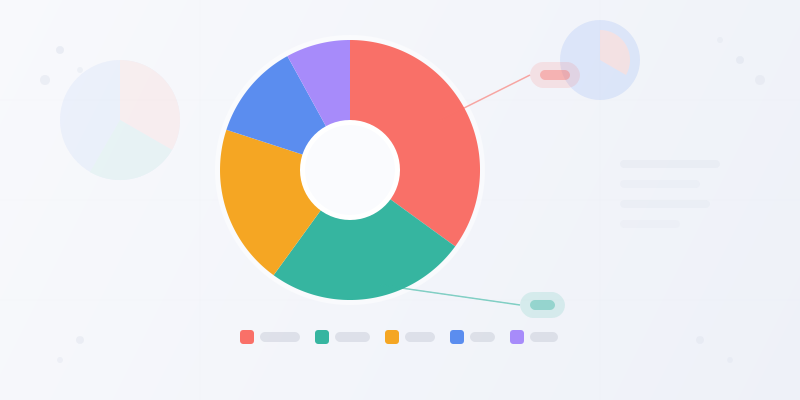
How to Make a Pie Chart: When to Use One and How to Get It Right
Pie charts are simple — and easy to mess up. Here's when a pie chart is the right choice, how to structure your data, and how to make one that actually communicates.
Read more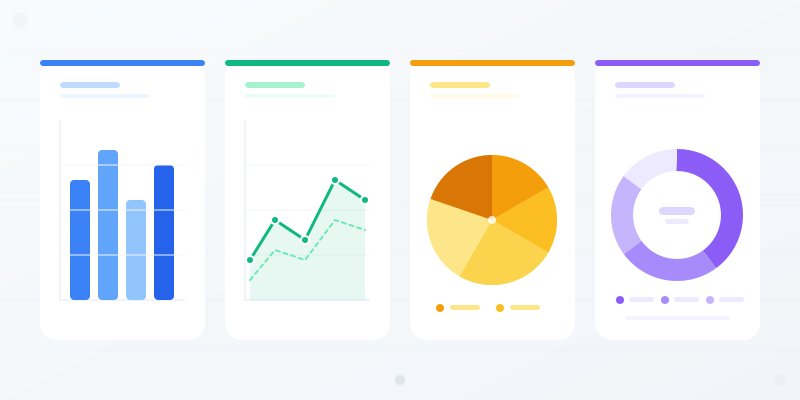
Chart Types Explained: Which Chart Should You Use for Your Data?
Bar vs. line vs. pie — every chart type has a job. Here's when each one works, when it doesn't, and how to pick the right format without overthinking it.
Read more
Data Visualization Best Practices: 6 Rules for Better Charts
Most charts fail because of a handful of avoidable mistakes. Here are the rules that separate clear, effective data viz from confusing noise.
Read more
Color Psychology for Infographics: How to Pick Palettes That Work
Learn how color psychology affects readability, trust, and engagement in infographics. Includes palette formulas, common mistakes, and a free color palette maker.
Read more