Free Chart Maker Online
Charts & GraphsCreate bar, pie, line, donut, and other charts online for free. Data visualization without code — paste your data, customize colors and labels, then export a clean PNG instantly. No signup, no watermark.
Free PNGNo signupNo watermark
Loading tool...
Was this tool helpful?
Watch the Tutorial
Start from a sample dataset, reshape it as donut or rows, drag segments to change values, and switch looks from sketch to midnight.
How to Use
- 1
Paste your data
Paste straight from Excel, Google Sheets, or CSV — or type "Label 42" lines. The best chart type is suggested automatically.
- 2
Pick a chart type
Bar, horizontal rows, line, pie, or donut — switch any time, your data stays.
- 3
Touch the chart to edit it
Click the title, any label, value, or legend entry and type. Drag a bar top, line point, or pie rim handle to change values.
- 4
Customize the style
Five themes including a hand-drawn Sketchbook look, per-point colors, legend position, value labels, and grid.
- 5
Export your chart
Download a PNG that matches the preview 1:1 — free, no watermark.
Why Choose GraphMake?
What Is the Best Free Chart Maker Online?
The best free chart maker online lets you create a chart, download it, and use it without a signup wall or watermark. GraphMake does that for pie charts, bar charts, line charts, donut charts, progress bars, comparison charts, and dashboard-style visuals.
Use this page when you need a quick downloadable chart for a presentation, report, social post, or blog article. If you need a full infographic with multiple charts and text blocks, open editor and combine this chart with stat cards, timelines, and callouts.
Create Graphs and Charts Online
Use GraphMake when you need a simple graph creator online free, not a spreadsheet workflow or a heavy BI dashboard. Add your data, choose the chart style that fits the comparison, and export the result as a clean image.
For most quick visuals, a bar chart, line chart, or pie chart is enough. Start here for general graphs and charts, then move to a dedicated maker such as bar chart maker or pie chart maker if you already know the exact chart type.
Which Chart Type Should You Choose?
Use a bar chart when you are comparing categories, a line chart when you are showing change over time, and a pie or donut chart when parts add up to a whole. If the answer is not obvious, start with a bar chart - it is usually the clearest option.
For a deeper explanation, read chart types guide. For a full comparison of free chart and data visualization tools, see best free data visualization tools.
Frequently Asked Questions
Is this chart maker really free?
Yes — 100% free. No signup, no watermark, no hidden fees. Just open the editor, create your chart, and export.
How do I make a chart online for free?
Open /tools/chart-maker, choose a chart type, enter or paste your data, customize the colors and labels, then export as PNG. You do not need to create an account and the export has no watermark.
Is GraphMake a free graph maker online?
Yes. GraphMake works as a free graph maker online and graph creator: choose a bar graph, line graph, pie graph, donut chart, or comparison chart, paste your data, customize the design, and export a PNG with no signup or watermark.
What is the difference between a chart maker and a graph maker?
For most uses, chart maker and graph maker mean the same thing: a tool that turns data into a visual chart or graph. Use GraphMake as a graph maker when you need bar graphs, line graphs, pie graphs, donut charts, or report-ready visuals without spreadsheet setup.
Can I make a graph online free?
Yes. Choose a chart type, paste your values, customize the labels and colors, then export the finished graph as a PNG without signup or watermark.
Can I create my own graph for free?
Yes. Use the chart maker as a free online chart generator: pick a graph type, add your labels and values, style the colors, and export a PNG. It works for simple graphs, report charts, and quick web visuals.
Can I make my own printable chart?
Yes. Build the chart in your browser, export PNG for documents or slides, then print from your design or drop it into the full /editor for a larger printable infographic.
What chart types are available?
We support pie charts, bar charts, line charts, donut charts, progress bars, comparison bars, percentage rings, and more. See our /blog/chart-types-guide for help choosing the right chart type.
Can I export my chart as a PNG?
Yes. GraphMake exports clean PNG charts directly from the browser. Use it for reports, slide decks, blog posts, dashboards, and social graphics without creating an account.
Can I use the charts for commercial purposes?
Absolutely. Charts you create are yours to use however you like — presentations, reports, social media, websites.
Do I need to create an account?
No. The editor works instantly in your browser with no account required.
Related Tools
Free Graph Maker
Make a graph online for free. Paste your numbers or type them in, pick a bar, line, or pie graph, drag the graph itself to adjust values, and download a clean PNG — no signup, no watermark, no Excel needed.
Try it freeFree Pie Chart & Pie Graph Maker
Create pie charts, pie graphs, and circle charts online for free. Enter slice labels and values, customize colors and percentages, export as PNG — no signup, no watermark.
Try it freeFree Bar Chart & Bar Graph Maker
Create bar charts, bar graphs, and column charts online for free. Use horizontal or vertical bars, grouped or stacked layouts, custom colors, and PNG export - no signup, no watermark.
Try it freeFree Stat Card Maker
Create eye-catching statistic cards for infographics, dashboards, and presentations. Highlight key numbers with bold typography and icons. Free, no signup.
Try it freeLearn More

Best Free Data Visualization Tools in 2026: 7 Options Compared
Compare the best free data visualization tools for charts, infographics, dashboards, embeds, and developer workflows. Includes strengths, limits, and best use cases.
Read more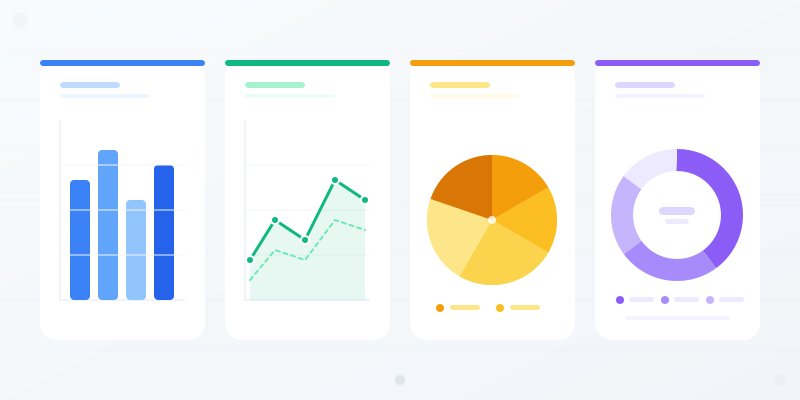
Chart Types Explained: Which Chart Should You Use for Your Data?
Bar vs. line vs. pie — every chart type has a job. Here's when each one works, when it doesn't, and how to pick the right format without overthinking it.
Read more
Data Visualization Best Practices: 6 Rules for Better Charts
Most charts fail because of a handful of avoidable mistakes. Here are the rules that separate clear, effective data viz from confusing noise.
Read more
How to Make a Bar Chart: The Complete Guide to Bar Graphs
Make a bar chart that communicates clearly. Covers vertical, horizontal, stacked & grouped bar charts with real examples and design tips.
Read more