
Timelines Make Sequences Obvious
A timeline is the simplest way to show what happened when. Dates on one axis, events on the other. The format is so intuitive that it needs zero explanation — readers understand it immediately.
Timelines work for anything with chronological order: project milestones, company history, product roadmaps, event schedules, historical events, career progressions, or process phases.
Below are 12 timeline examples across different formats and contexts. Build any of them at timeline maker.
Project Timeline Examples
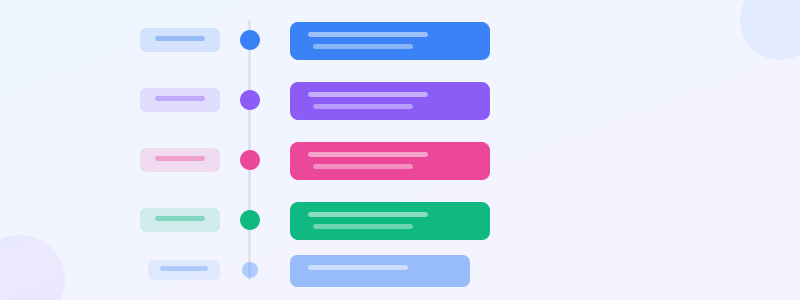
Example 1: Software launch timeline. Vertical, 6 milestones: Research (Jan) → Design (Feb-Mar) → Development (Apr-Jun) → QA (Jul) → Beta (Aug) → Launch (Sep). Each milestone has a date, title, and 1-line description. Color shifts from blue (early) to green (launch).
Example 2: Construction project phases. Horizontal, 8 stages from site preparation to final inspection. Each phase shows duration (not just dates), making overlaps visible. Pair with a gantt chart maker for the detailed schedule.
Example 3: Marketing campaign timeline. 4-week sprint: Week 1 (content creation) → Week 2 (ads setup + email sequences) → Week 3 (launch + monitor) → Week 4 (analyze + optimize). Each week has 2-3 tasks. Use process diagram maker for the internal workflow within each week.
Company History Timelines
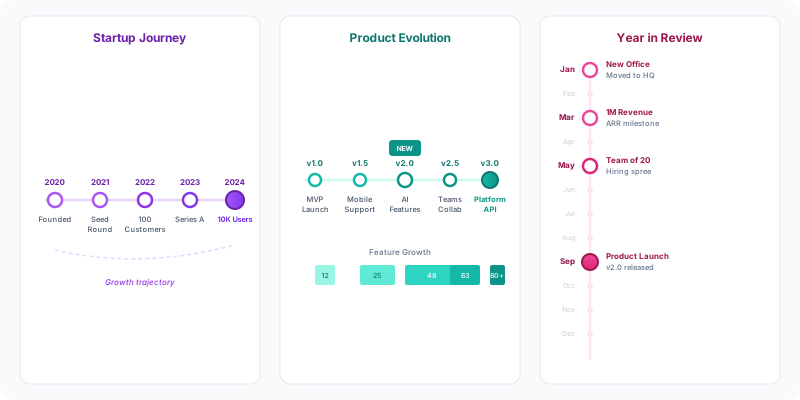
Example 4: Startup journey. Founded 2020 → First customer 2020 → Seed round 2021 → 100 customers 2022 → Series A 2023 → 10K users 2024 → International expansion 2025. Each node gets an icon (rocket, dollar sign, globe). This is the "About Us" page staple.
Example 5: Product evolution. v1.0 (MVP) → v1.5 (added charts) → v2.0 (AI features) → v2.5 (mobile app) → v3.0 (enterprise). Shows how a product grew. Great for investor decks — pair with stat card maker to show metrics at each stage.
Example 6: Year in review. 12 months, one highlight per month. January: hired first engineer. March: launched blog. May: 10K signups. September: revenue milestone. This is the most-shared timeline format on social media at year-end.
Historical and Educational Timelines
Example 7: World War II timeline. Major events from 1939-1945 with dates, descriptions, and geographic context. Color-coded by theater (European, Pacific). The classic use case for timelines in education.
Example 8: Technology milestones. 1969: ARPANET → 1983: TCP/IP → 1991: World Wide Web → 2004: Facebook → 2007: iPhone → 2022: ChatGPT. Each node gets an icon and a 1-sentence impact statement. Perfect for tech presentations or how to create infographic classroom projects.
Example 9: Biography timeline. Born → Education → First job → Key achievement → Award → Present. Personal timelines work for infographic resumes (infographic resume), author bios, and speaker introductions.
Event and Schedule Timelines
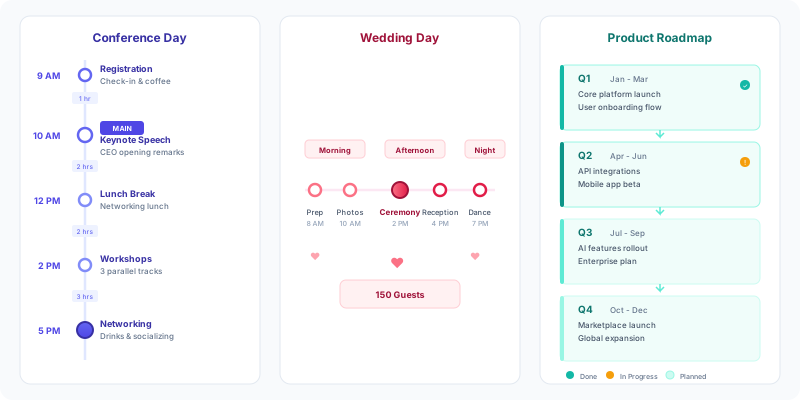
Example 10: Conference day schedule. Horizontal, hour-by-hour: 9am Registration → 10am Keynote → 11am Breakout Sessions → 12:30pm Lunch → 2pm Workshops → 4pm Panel → 5pm Networking. Color by track. This is the format conferences post on their websites.
Example 11: Wedding day timeline. Hour-by-hour from morning prep to last dance. Bride and groom tracks run parallel (swimlane timeline). Practical for coordinators and families.
Example 12: Product roadmap. Quarterly: Q1 (Foundation) → Q2 (Growth features) → Q3 (Enterprise) → Q4 (Platform). Each quarter has 3-4 items. Color by priority (must-have, nice-to-have, stretch). This is the standard format for product teams — build it at roadmap maker or timeline maker.
Ready to build?
Open the free editor and start creating — no signup needed.
Timeline Design Tips
Vertical for many events, horizontal for few. If you have 15+ events, go vertical — horizontal gets cramped. Under 8 events, horizontal feels more dynamic.
Use consistent spacing — or don't. Equal spacing between events looks clean but implies equal time gaps. Proportional spacing (matching actual time between events) is more honest. Choose based on your audience.
Icons beat text. A rocket icon next to "Launch" communicates faster than reading the word. Use 1 icon per event, not icon soup. Our editor has 60+ widgets including icon sets.
Color-code phases. Early stages in cool colors (blue), middle in warm (yellow), final in hot (green/red). This creates a visual narrative arc without any words.
Build Your Timeline
Open timeline maker — add events with dates and descriptions, choose vertical or horizontal layout, customize colors, and download as PNG. Free, no signup.
For roadmap-style timelines with swimlanes, use roadmap maker. For Gantt-style timelines showing duration, use gantt chart maker. Combine any of these in editor for full infographics.
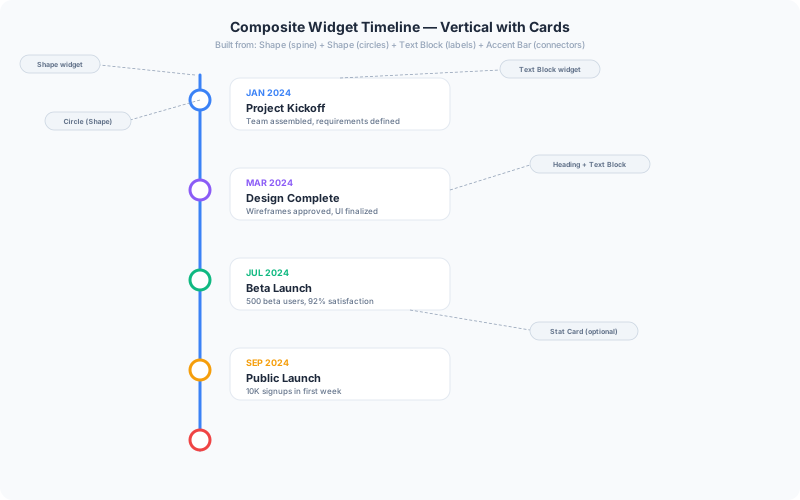
Want a custom timeline that no template covers? Use composite widgets in editor — combine shape widgets for the spine, icon widgets for nodes, text blocks for labels, and divider widgets for connecting lines. Stack them on the canvas to build any timeline layout from scratch. This is how our most unique templates are built — the timeline widget gets you 80% there, composites get you to 100%.
Here are two composite timeline examples built entirely from basic widgets — a vertical card-based layout and a horizontal ribbon-card layout on a dark background. Every element is a draggable widget you can reposition, restyle, or replace.
Browse templates for pre-designed timeline layouts including year-in-review, project proposal, and company history templates.
More Composite Inspiration
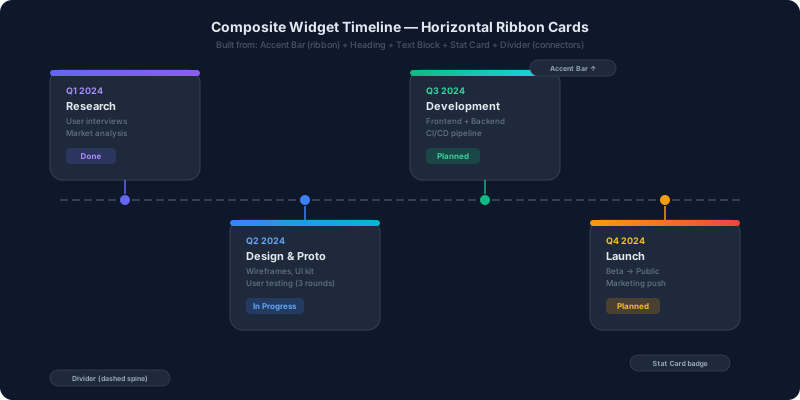
This dark-mode horizontal ribbon timeline uses accent bars for the colored top strips, heading + text block widgets for the card content, a divider widget for the dashed spine, and shape circles for the connection nodes. The status badges are stat card widgets.
The key insight: you don't need a dedicated timeline widget to make a timeline. Any collection of widgets arranged along a line IS a timeline. The editor canvas gives you pixel-level control over every element — something a pre-built timeline widget can't match.
Start from a templates layout, then swap, add, or remove widgets until it's exactly what you need. Or start from scratch — drop a shape for the spine, duplicate circle shapes for nodes, and add text blocks for each event.
Final Thoughts
Timelines are one of the most versatile infographic formats. Whether you use the built-in timeline maker for a quick export, composite widgets for a custom design, or start from a templates layout — the result is a visual story that's impossible to misread.



