What Is a Good Gantt Chart Example?
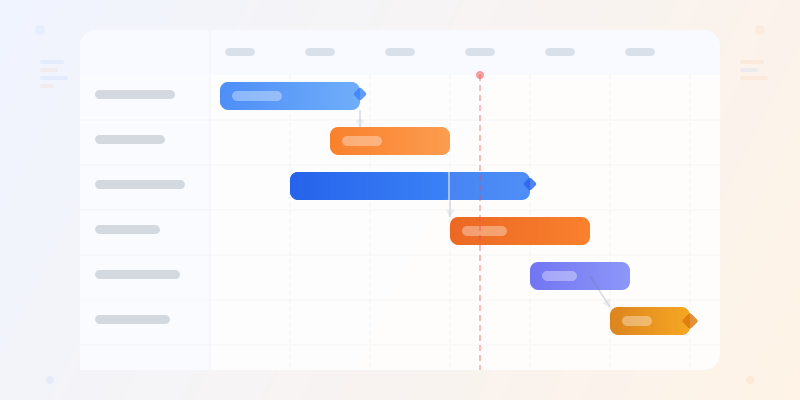
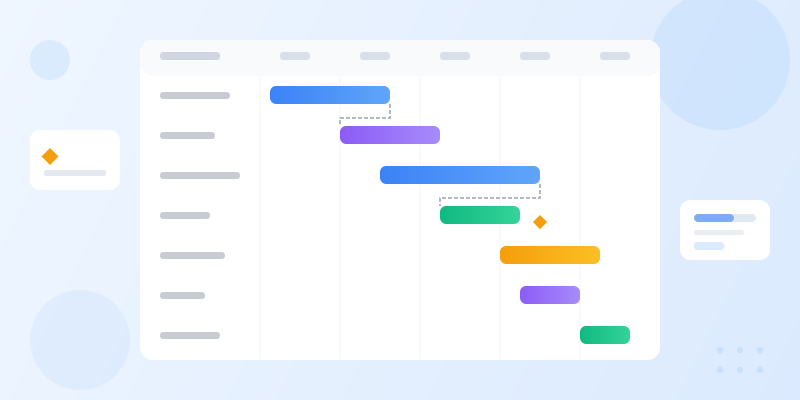
A good Gantt chart example shows tasks as horizontal bars on a timeline, groups related work by phase or team, marks key milestones, and makes dependencies visible. The reader should immediately see what starts first, what runs in parallel, and what blocks the final deadline.
A Gantt chart maps tasks against time. Horizontal bars show duration, vertical stacking shows sequence, and connecting arrows show dependencies. That is the entire concept.
The power is in dependencies. Without them, a Gantt chart is just a colorful to-do list. With them, you can answer the question that derails every project: "If this task slips by two weeks, what else breaks?"
These 12 examples cover real project types. Each one highlights the dependency patterns and milestone placement that make the chart useful — not just decorative. Build any of them at gantt chart maker.
1. Software Product Launch
Phases: Requirements → Design → Development → QA → Beta → Launch. Each phase depends on the previous one completing. Development is usually the longest bar, often 40-60% of the total timeline.
Key milestones: Feature Freeze (no new features after this), Beta Release, Go/No-Go Decision, Launch Day. Place these as diamond markers on the chart.
The critical insight: QA and Development often overlap. Show this as a partial overlap on your Gantt chart — QA starts on Module 1 while Development continues on Module 3. This parallel tracking is what separates realistic schedules from fantasy.
2. Construction Project and 3. Marketing Campaign
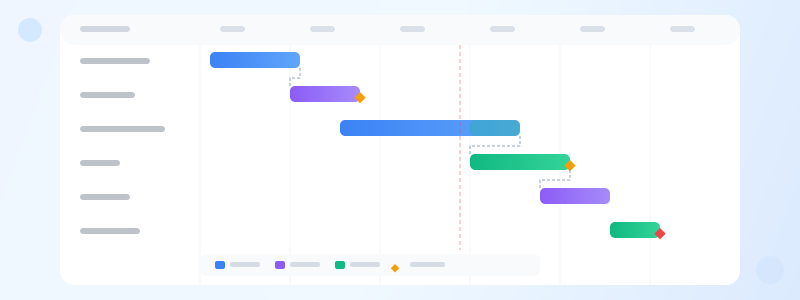
Construction: Foundation → Framing → Electrical/Plumbing → Interior → Inspection. Construction Gantt charts have the strictest dependencies — you literally cannot frame before the foundation cures. Weather delays cascade through every downstream task, making the dependency arrows critical for re-planning.
Marketing campaign: Creative Development, Channel Setup, Content Production, and Launch Execution run as parallel workstreams. The dependency is at convergence points — you cannot launch email campaigns until both the copy (Content) and the list segmentation (Channel Setup) are done.
Both examples show why Gantt charts beat simple timelines: they reveal parallel paths and convergence bottlenecks. Use timeline maker for simpler sequences that do not need dependency tracking.
4. Event Planning and 5. Product Roadmap
Event planning: Venue Booking → Vendor Contracts → Marketing → Registration → Day-Of Logistics. The twist: vendor contracts and marketing can run in parallel since neither depends on the other. But both depend on the venue being locked.
Product roadmap: This is a higher-level Gantt chart. Instead of individual tasks, bars represent features or themes across quarters. "Auth System" spans Q1, "Payment Integration" spans Q2, "Mobile App" spans Q2-Q3 with a dependency on Auth completing first.
Product roadmaps often use swimlanes — group bars by team (Frontend, Backend, Mobile) to show who owns what. Build swimlane-style roadmaps at roadmap maker for a more polished layout.
6. Website Redesign and 7. Onboarding Program
Website redesign: Audit → Wireframes → Visual Design → Development → Content Migration → Testing → Launch. The hidden dependency: content migration often starts during development but cannot finish until the new CMS is deployed. Show this as a partial dependency with a lag.
Employee onboarding: Week 1 (IT Setup, Orientation), Week 2 (Team Introductions, Tool Training), Week 3-4 (Shadowing, First Project). Onboarding Gantt charts are unusual because most tasks are time-boxed rather than effort-based.
For onboarding, milestones matter more than dependencies: "30-Day Check-in," "First Solo Project Completed," "90-Day Review." Place these as markers that the entire team can track. See timeline examples for milestone-focused alternatives.
8. Academic Research and 9. Manufacturing Production
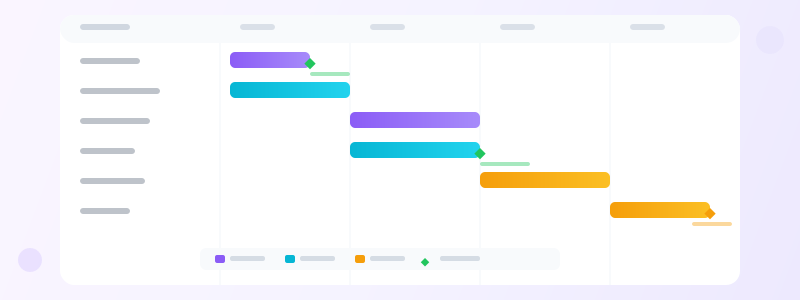
Academic research: Literature Review → Methodology Design → Data Collection → Analysis → Writing → Peer Review → Revision → Submission. Writing typically overlaps with Analysis — researchers start drafting the methodology and literature sections while data analysis continues.
Manufacturing production: Raw Material Procurement → Component Fabrication → Assembly → Quality Control → Packaging → Shipping. This is the most linear of all examples. Each step must complete before the next begins, and the procurement lead time is often the longest and most variable bar.
Both examples benefit from a baseline vs. actual view: show the planned timeline as a light bar and the actual progress as a darker overlay. This comparison is the fastest way to spot schedule drift.
Ready to build?
Open the free editor and start creating — no signup needed.
10-12: Sales Pipeline, Course Development, and Merger Integration
Sales pipeline (10): Lead Generation → Qualification → Proposal → Negotiation → Close. Not a traditional Gantt chart, but mapping deal stages against time reveals your average sales cycle length and where deals stall. Color-code bars by deal size or probability.
Course development (11): Curriculum Design → Content Writing → Video Production → Platform Setup → Beta Testing → Launch. Video production is the bottleneck — it depends on content writing and takes 2-3x longer than people expect. Show this clearly with a longer bar.
Merger integration (12): Due Diligence → Regulatory Approval → Systems Migration → Team Restructuring → Brand Unification. These phases span months or years. The Gantt chart's value here is showing the critical path — the longest chain of dependent tasks that determines the earliest possible completion date.
All twelve examples share one principle: a Gantt chart is only as good as its dependencies. Bars without arrows are just a timeline. Combine Gantt charts with gantt chart maker and export them for presentations or project reports.
Build a Swimlane Roadmap with Composite Widgets
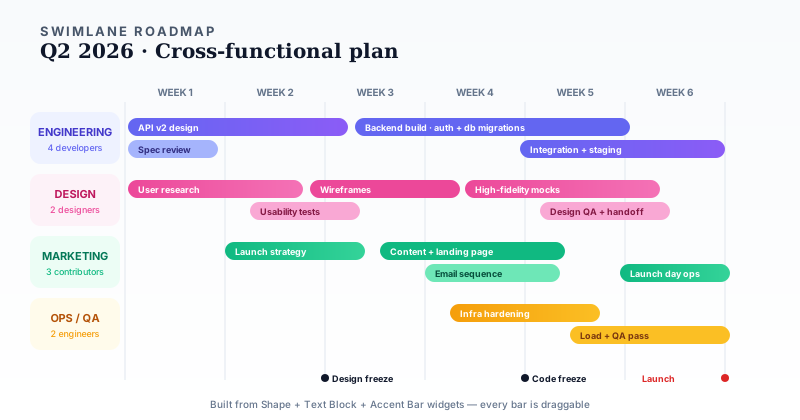
The gantt chart maker widget covers single-team Gantt charts cleanly — but for multi-team roadmaps, composite widgets unlock layouts the widget cannot produce alone. Use Shape widgets for swimlane backgrounds (one colored band per team), narrower Shape widgets as task bars placed inside each band, Text Block widgets for task labels and week headers, and Accent Bar widgets for milestone markers at the bottom.
The example above shows a cross-functional swimlane roadmap — horizontal bands for Engineering, Design, Marketing, and Ops with task bars that can run in parallel across teams. This is the layout product managers actually need during a launch cycle but that a standard Gantt chart renders poorly because it treats every row as a sequential task instead of a parallel workstream. Every bar is independently draggable on the editor canvas, so you can reshape the timeline in seconds without re-entering data.
Gantt + Stat Cards + Progress in One Dashboard
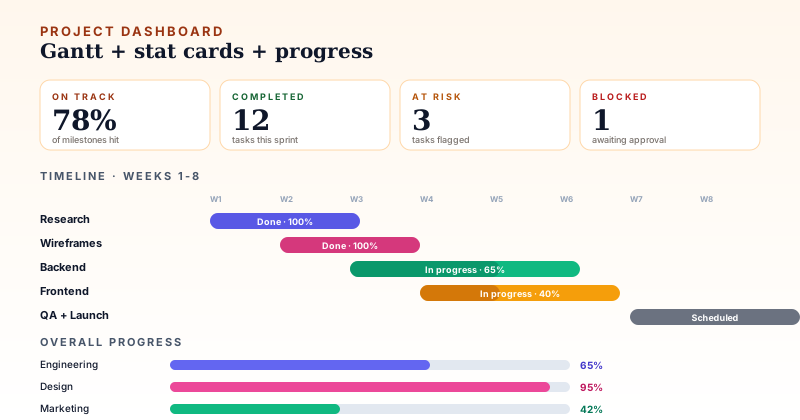
A second composite example — combine a Gantt chart widget with four stat cards, a progress-bar stack, and a milestone row to build a full project status dashboard. The Gantt shows where tasks sit in the timeline; the stat cards show health metrics ("78% on track", "3 at risk", "1 blocked"); the progress bars summarize each team's overall completion. Everything lives on the same canvas.
This is the layout for stakeholder updates and weekly leadership reviews — one screen that answers "how is the project going?" without flipping between tools. Start from project status report for a clean base, then customize with your project's actual tasks and percentages. The progress bar maker and stat card maker are the individual widgets powering the supporting pieces.
When to Use a Gantt Chart vs. Other Tools
Use a Gantt chart when tasks have dependencies and duration matters. If you just need to show milestones, a timeline maker is simpler. If you need to show a process flow, use flowchart maker.
Gantt charts work best for 5-30 tasks. Under 5, it is overkill. Over 30, the chart becomes unreadable — break the project into sub-projects with separate Gantt charts.
For long-term strategic planning without task-level detail, a roadmap maker is the better choice. For combining Gantt charts with other widgets in a full infographic, use editor.