What Is a Roadmap?
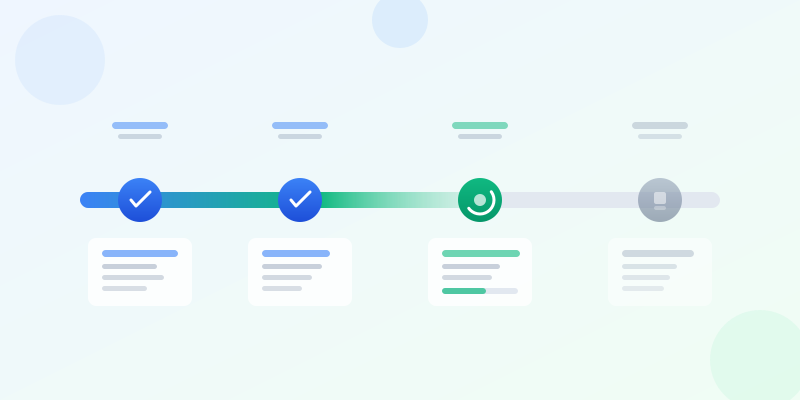
A roadmap is a visual plan that shows what you intend to build, ship, or accomplish over a defined time horizon. It communicates direction, priorities, and timing to stakeholders — from executives who need the big picture to engineers who need to understand sequencing. A good roadmap answers three questions at a glance: where are we going, what are the milestones, and when should things happen.
Roadmaps are different from project plans. A project plan is an exhaustive list of tasks with owners and dependencies. A roadmap is a strategic communication tool — it shows themes, phases, and outcomes rather than granular tasks. It is meant to create alignment and set expectations, not to serve as a day-by-day execution guide.
The term covers several related formats: product roadmaps for feature development, project roadmaps for delivery milestones, technology roadmaps for infrastructure evolution, and learning roadmaps for skill development. The underlying structure is similar — a timeline with items placed along it — but the audience and level of detail differ.
Types of Roadmaps and When to Use Each
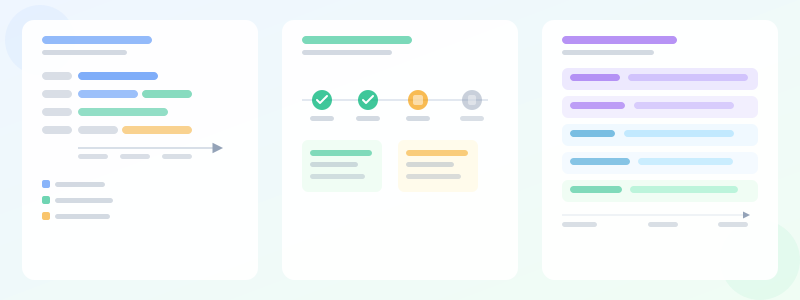
A product roadmap communicates what features a product team will build and roughly when, grouped into themes or epics. It is designed for cross-functional stakeholders: sales, marketing, leadership, and customers. It uses time horizons (now/next/later, or Q1/Q2/Q3/Q4) rather than precise dates, because product priorities shift.
A project roadmap shows phases, milestones, and deliverables for a specific initiative with a defined end date. It is closer to a Gantt chart than a product roadmap — concrete dates matter, and dependencies are important. It is designed for the project team and sponsors who need to track delivery progress.
A technology roadmap outlines the evolution of a technical system: what gets upgraded, deprecated, or introduced over time. It is organized by layer (infrastructure, platform, applications) or by domain (data, security, integrations). Its audience is technical leadership and architects. For a comparison with Gantt charts, see how to make gantt chart — they overlap significantly in structure.
Planning Your Roadmap Before You Design It
Start with the audience. A roadmap for your engineering team needs different detail than one for your board of directors. The engineering roadmap can show technical initiatives and sequencing. The executive roadmap should show outcomes and business impact. Never use the same roadmap for both — you will end up with something too detailed for executives and too vague for engineers.
Define your time horizon. Product roadmaps typically cover six to twelve months because planning further with confidence is difficult. Project roadmaps cover the project duration. Keep the granularity of time divisions proportional to your confidence: monthly for the next quarter, quarterly for six to twelve months, and "future" for anything beyond a year.
Group items into themes or initiatives, not individual tasks. "Improve checkout performance" is a theme. "Reduce payment API latency" and "Implement image lazy loading" are tasks under that theme. A roadmap should show the forest, not the trees.
Roadmap Structure and Layout
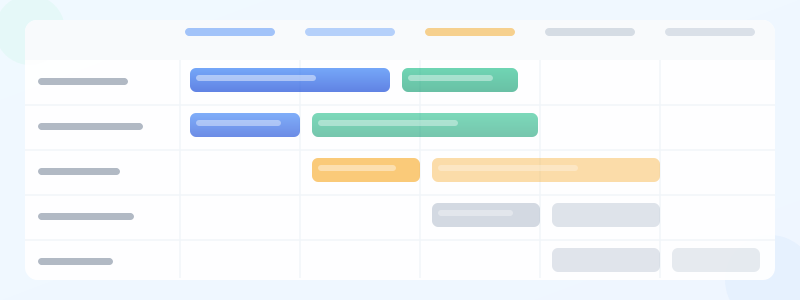
The standard roadmap layout puts time on the horizontal axis and swim lanes (themes, teams, or workstreams) on the vertical axis. Each item is a bar or card positioned on the timeline according to when it starts and ends. Use color to distinguish status: blue for completed, green for in progress, amber for planned, gray for backlog.
For a now/next/later roadmap (common in product), replace time periods with those three columns. Now = currently in development. Next = committed for the following cycle. Later = explored but not committed. This format is honest about uncertainty — it does not imply false precision about dates beyond the current sprint.
Include milestones as diamond markers on the timeline for key events: launch dates, external commitments, board presentations, regulatory deadlines. Milestones are fixed points that items must complete before. They create urgency and anchor the roadmap to real-world events.
How to Create a Roadmap Step by Step
Step 1: Define the audience and purpose. Is this for your engineering team, leadership, customers, or sales? The audience determines the level of detail and the visual format. A one-slide customer roadmap looks nothing like a detailed engineering plan.
Step 2: Choose the time horizon. For product roadmaps, 6-12 months is the sweet spot. For project roadmaps, use the project duration. For technology roadmaps, 12-24 months. Beyond that, uncertainty dominates and the roadmap loses credibility.
Step 3: Decide on the format. Gantt-style timeline (items as bars across dates) works when dates matter. Now/Next/Later (three columns) works when you want to avoid committing to exact dates. Swim lanes with phases works for cross-team roadmaps. Pick one format and stick with it.
Step 4: List your themes or initiatives. Not tasks — themes. "Improve checkout performance" is a theme. "Reduce payment API latency" is a task. A roadmap should have 5-15 themes, not 50 tasks.
Step 5: Assign each theme to a time slot. If you are using quarterly buckets, drop each theme into Q1, Q2, Q3, or Q4. If you are using Now/Next/Later, assign each to one of those columns. Be honest about capacity — if you stuff Q1 with 10 themes, you are not planning, you are wishing.
Step 6: Add milestones. These are fixed dates that do not move — product launches, regulatory deadlines, board meetings. Milestones create urgency and give the roadmap real-world anchors.
Step 7: Style it. Use 3-4 colors max: one per status, one for milestones. Add a legend. Add a "last updated" date stamp so stakeholders know it is current. Export as PNG for slides, PDF for print.
Ready to build?
Open the free editor and start creating — no signup needed.
Building Your Roadmap in GraphMake
Open roadmap maker to access the roadmap builder. Select your time horizon (quarterly or monthly), add swim lanes for your themes or workstreams, and drag items onto the timeline. Each item can be colored by status (not started, in progress, complete) or by team.
Add milestone diamonds by clicking the milestone icon and placing it on the timeline. Add a label: "Beta Launch," "Phase 1 Complete," "Contract Deadline." Milestones are visually distinct from regular items so stakeholders immediately recognize fixed commitments.
For a presentation-ready roadmap infographic — with a title header, legend, roadmap body, and key notes section — use the full editor. The Roadmap widget handles the timeline layout, and you can add Heading, Text Block, and Callout widgets around it for context. Export as PNG for slide decks or PDF for print handouts.
Roadmap Design Best Practices
Keep status colors consistent and defined. If green means "in progress" in one section and "complete" in another, readers get confused. Add a legend. The templates gallery includes roadmap templates with pre-defined color systems you can adopt directly.
Avoid putting too many items on the roadmap. A roadmap with forty items in a single quarter is not a roadmap — it is a project plan in disguise. If a stakeholder cannot see the five most important things at a glance, the roadmap is not doing its job. Ruthlessly aggregate.
Version control your roadmap. Roadmaps change. When you update it, note the date of the last revision and what changed. Stakeholders who received a previous version need to know what shifted. A "Last updated" date stamp builds trust — it signals that the roadmap is live and maintained.
Share it, do not file it. A roadmap that lives in a folder does not align anyone. Export it as PNG and put it in your team's shared workspace, in the top of your project wiki, and in the monthly stakeholder update email. Visibility is the point.
Build Your Roadmap Today
Open roadmap maker for a standalone roadmap builder — free, no signup. Set up your timeline, add swim lanes, drag in items, and set statuses. Export as PNG for presentations.
For a full roadmap infographic with narrative context, call-out boxes, and custom branding, use the editor. Combine the Roadmap widget with Heading, Stat Card, and Text Block widgets to build a complete strategic communication piece. The how to make gantt chart guide is a good companion read if you need granular scheduling alongside the strategic roadmap.



