Why Look at Mind Map Examples?
Starting a mind map from a blank canvas is surprisingly hard. You know the central topic, but then what? Which branches first? How deep should you go? How much text per node? Looking at examples solves all of these questions instantly.
Good examples show you structure, not just content. You see how other people balanced breadth (many top-level branches) vs depth (detailed sub-branches). That pattern recognition transfers to your own work, whether you're planning a product launch or studying for finals.
Below are 15 mind map examples organized by use case. Each one highlights a different layout style, complexity level, and purpose. Steal the structure, swap in your data, and you're done. Build any of these at mind map maker.
Brainstorming Mind Maps
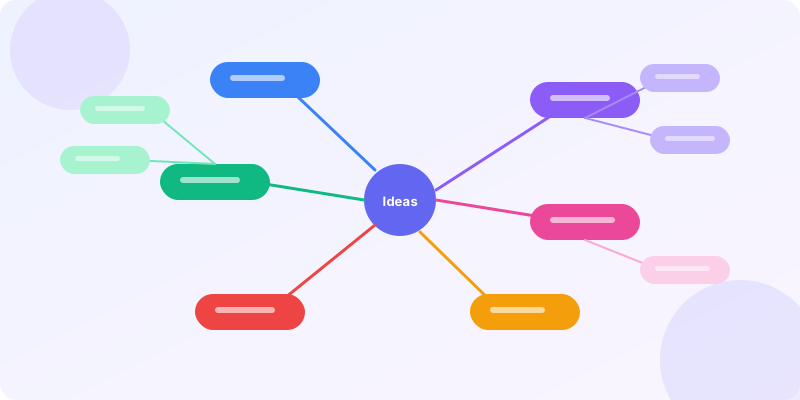
Brainstorming is the classic mind map use case — and the one where the format shines brightest. You write one idea in the center, then let associations flow outward without editing or filtering.
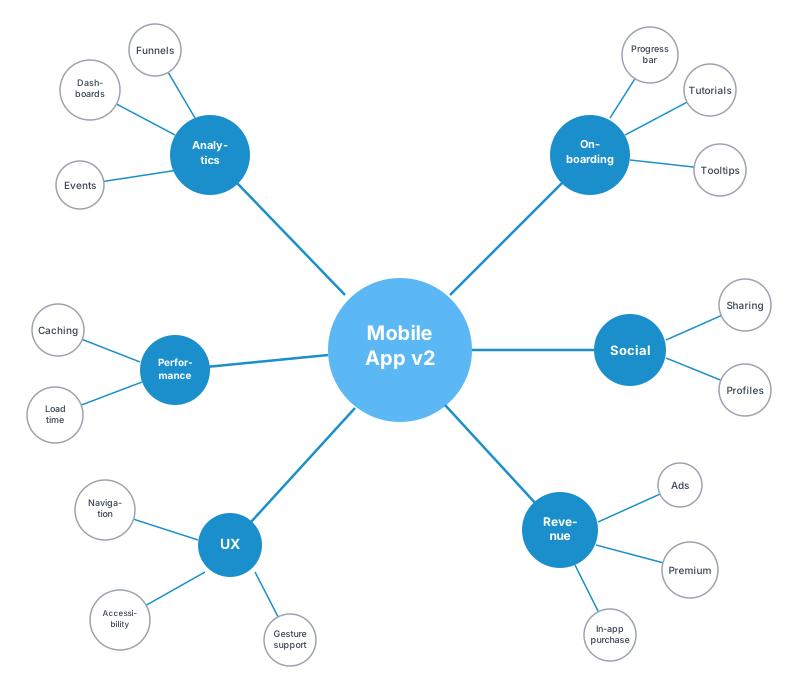
Example 1: Product feature brainstorm. Central node: "Mobile App v2." Five branches: user onboarding, social features, monetization, analytics, performance. Each branch gets 3-5 sub-ideas. The map fills in 10 minutes during a team call, and you've got a prioritization backlog ready.
Example 2: Content calendar brainstorm. Central node: "Q3 Blog Topics." Branches by content pillar — SEO guides, tool tutorials, industry trends, case studies. Sub-branches are specific post titles. This is how we plan posts at GraphMake — the mind map becomes the editorial calendar.
Example 3: Naming brainstorm. Central node: the product category. Branches by theme (technical, playful, abstract, descriptive). Sub-branches are actual name candidates. The visual spread helps you compare options side-by-side without the bias of a ranked list.
Project Planning Mind Maps
A project plan mind map won't replace your gantt chart maker, but it's the best starting point. Before you open a Gantt chart or task board, you need to see the full scope.
Example 4: Website redesign. Central: "Website Redesign." Branches: research (competitors, analytics, user feedback), design (wireframes, mockups, brand), development (frontend, backend, CMS), launch (QA, migration, redirects, monitoring). Each branch owner is a team member.
Example 5: Event planning. Central: "Annual Conference 2026." Branches: venue, speakers, marketing, logistics, budget, sponsors. Sub-branches break down to individual tasks. The mind map captures everything in one view — something a 200-row spreadsheet can't do.
When the brainstorm is done, export the mind map and convert the branches into tasks in your project tool. Or open it in editor and add a timeline maker widget beside it for the full infographic.
Study and Education Mind Maps
Students who use mind maps retain 10-15% more information than those using linear notes (Farrand et al., 2002). The reason is simple: mind maps force you to organize information by relationship, not by the order it was presented.
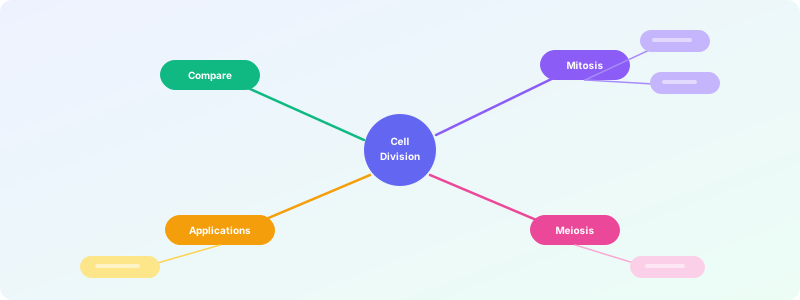
Example 6: Biology chapter summary. Central: "Cell Division." Branches: mitosis (prophase, metaphase, anaphase, telophase), meiosis (meiosis I, meiosis II), comparison (similarities, differences), applications (cancer, reproduction). Color-code by theme.
Example 7: History essay plan. Central: "Causes of WW1." Branches: militarism, alliances, imperialism, nationalism (MAIN acronym). Each branch gets key events, dates, and historians' perspectives as sub-nodes.
Example 8: Language vocabulary. Central: the target language. Branches by topic (food, travel, work, emotions). Sub-branches are words with pronunciation notes. This visual grouping beats flashcard apps for contextual recall.
Business Strategy Mind Maps
Mind maps pair well with frameworks. Take any strategy model — SWOT, Porter's Five Forces, Business Model Canvas — and turn it into a mind map. The branches become the framework categories, and you fill in specifics. Try our swot analysis maker for a structured version.
Example 9: SWOT analysis mind map. Central: company name. Four branches (Strengths, Weaknesses, Opportunities, Threats), each color-coded. Sub-branches are specific items. This is more flexible than a 2×2 grid because sub-items can have their own children.
Example 10: Competitive analysis. Central: market segment. Branches: one per competitor. Sub-branches: pricing, features, target audience, marketing channels, strengths, weaknesses. Compare visually.
Example 11: OKR planning. Central: "Q3 OKRs." Branches per objective. Sub-branches are key results with owners and deadlines. The mind map shows alignment — or lack of it — across teams.
Creative and Personal Mind Maps
Mind maps aren't just for work. Some of the best use cases are personal.
Example 12: Book outline. Central: book title. Branches: chapters. Sub-branches: scenes, characters, themes per chapter. J.K. Rowling famously used spreadsheets for Harry Potter, but plenty of authors prefer the organic flow of mind maps.
Example 13: Travel planning. Central: destination. Branches: transport, accommodation, activities, budget, packing. Sub-branches get specific — flight options, restaurant bookmarks, day-by-day itinerary. Build the visual version at editor.
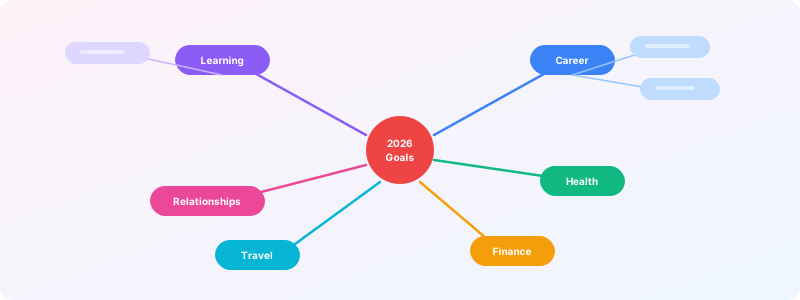
Example 14: Goal setting. Central: "2026 Goals." Branches: career, health, finance, relationships, learning. Sub-branches: specific targets with deadlines. Review quarterly and add completion markers.
Example 15: Decision making. Central: the decision. Two main branches: Option A and Option B. Sub-branches: pros, cons, risks, costs. Seeing everything spread out makes the choice clearer than agonizing in your head.
Ready to build?
Open the free editor and start creating — no signup needed.
Mind Map Design Tips
Keep top-level branches to 4-7. More than seven and the map becomes a wall of noise. If you have 12 top-level ideas, group them into clusters first.
Use color deliberately. Each branch gets its own color. This creates visual grouping that your eyes parse before your brain reads the text. Our color palette maker can help you pick harmonious colors.
One keyword per node, not full sentences. Mind maps are triggers for recall, not documents. "Q3 Revenue ↑ 20%" is better than "We need to increase our Q3 revenue by 20% compared to last year." If you need detail, attach notes or sub-branches.
Read left-to-right, top-to-bottom for priority. Place the most important branch at 1 o'clock (top-right). Readers naturally start there. Least important goes bottom-left.
Build with Composite Widgets
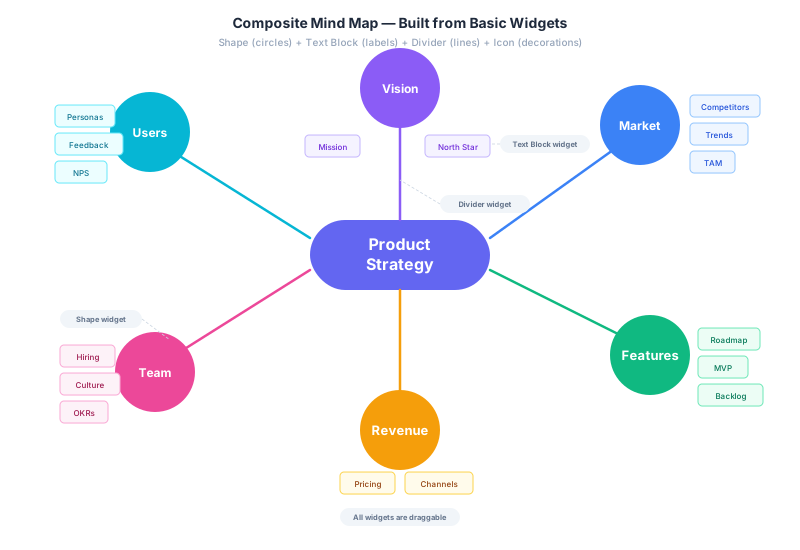
Want full creative control? Use composite widgets in editor — combine Shape widgets for the center and branch circles, Text Block widgets for sub-items, and Divider widgets for the connecting lines. Every element is independently draggable, resizable, and recolorable.
Here's a radial mind map built entirely from basic widgets. The center is a Shape (rounded rect), each branch is a Shape (circle), sub-items are Text Block widgets, and connecting lines are Divider widgets.
Dark Canvas with Elbow Connectors
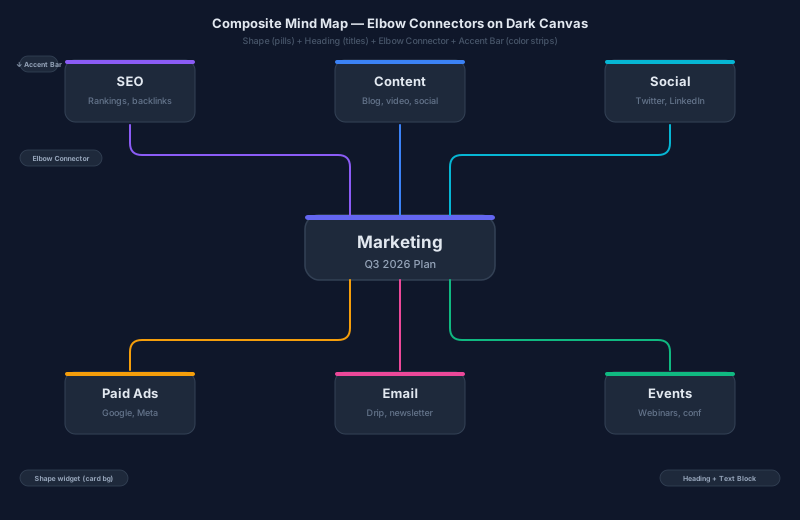
This dark-mode variant uses Elbow Connector widgets for clean right-angle routing, Accent Bar widgets for the colored strips on each card, and Shape widgets for the card backgrounds. The result looks like a professional dashboard — not something from a mind map template.
The key insight: any collection of widgets arranged around a central idea IS a mind map. The dedicated mind map widget gets you 80% there fast. Composites get you to 100% with pixel-perfect control.
Build Your Own Mind Map
Every example above can be built in under 5 minutes at mind map maker. Add a central topic, branch out, color-code, and export as PNG. No signup, no watermark.
Need it as part of a bigger infographic? Open editor, drop in a mind map widget from the Layout category, and combine it with stat card maker cards, timeline maker timelines, or chart maker charts. The mind map becomes one section of a larger visual story.
For more diagramming options, check out our how to make mind map tutorial, flowchart maker for process flows, or venn diagram maker for overlap analysis.