Free Mind Map, Brainstorm & Idea Map Maker
Diagrams & FlowsCapture ideas visually with a mind map, brainstorm map, or idea map. Start from examples for projects, study notes, strategy, or content planning — free, no signup, no watermark.
Free PNGNo signupNo watermark
Loading tool...
Was this tool helpful?
Want more customization?
Open the full editor with 80+ widgets, templates, and AI generation.
How to Use
- 1
Open the tool
Launch the free mind map maker — no account needed. Pick a starter map or begin from the default.
- 2
Set your central topic
Click the topic in the middle of the map and type — the map itself is the editor.
- 3
Add main branches
Use Add branch (or tap the central topic) to grow the map. 4–8 branches is ideal for readability.
- 4
Add ideas
Tap any branch and choose Add idea, then click the new chip and type. Drag any node to arrange the map.
- 5
Export
Download as a PNG that matches the preview 1:1 — free, no watermark.
Why Choose GraphMake?
Mind Map Examples You Can Start With
If you are looking for an example of a mind map, start with a central topic and four to seven main branches. For project planning, put the project name in the center and branch into Scope, Team, Timeline, Risks, Budget, and Deliverables. For study notes, put the chapter name in the center and branch into Concepts, Definitions, Examples, Formulas, and Questions.
For brainstorming, use branches such as Ideas, Constraints, Audience, Channels, Risks, and Next Steps. For content planning, use Blog, Video, Social, Email, Keywords, and Research. These examples keep the map readable while giving you enough structure to start quickly.
Need more inspiration before building? Browse mind map examples for 15 mind map examples across work, school, strategy, and creative projects, then come back here to build the one that matches your use case.
Mind Map, Brainstorm Map, Idea Map — All the Same Radial Diagram
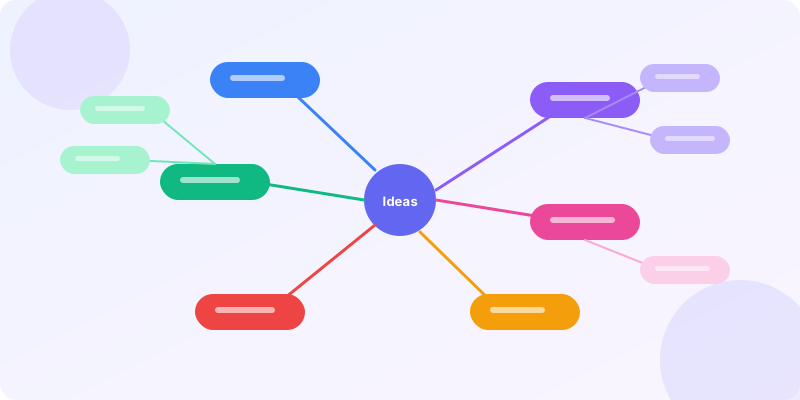
Mind map, brainstorm map, and idea map are three names for the same visualization: a central topic with branches radiating outward, sub-branches growing off those, and so on. The structure mirrors how the brain generates associations — one idea triggers another, and another, until a tree of related ideas takes shape.
The names diverge mostly by context. Educators and productivity writers say "mind map" (Tony Buzan popularized the term in the 1970s). Marketers and product teams say "brainstorm map" when describing a generative session. Writers and researchers say "idea map" when mapping a topic for an article or paper. The diagram is identical in every case.
Our maker produces all three from the same map. Click the central topic to name it, tap a node to add branches and ideas, and style with themes. Whatever name you give it, the result is a radial diagram that externalizes the structure of a topic.
Why Radial Maps Beat Flat Lists for Brainstorming
A flat list captures ideas but loses the relationships between them. Thirty bullet points does not tell you which five are about marketing, which seven are about product, and which three are about hiring. A mind map shows that grouping structure visually, so the output of a session is not just "30 ideas" but "5 themes with ideas under each".
The radial layout also invites non-linear exploration. When you build a list, you add items one after another in sequence. When you build a map, you can jump between branches — add an idea to marketing, then one to product, then come back to marketing — which matches how ideas actually surface during brainstorming. The tool stops fighting the shape of the session.
The tradeoff is that maps are harder to review in text form than lists. If your final artifact needs to be a written document, you still have to transcribe the map. Use the map as the brainstorming artifact, and the writing tool as the deliverable.
How to Build a Good Mind Map
Start with the central topic phrased as a noun, not a question. "Product launch" is a better center than "How should we launch?" because the map explores the topic from many angles, not just one question's answer.
Limit main branches to 4–8. Each main branch becomes a theme; too many themes and the map becomes a flat list of single ideas with no structure. If you need more main branches, consider whether two should merge.
Use color per branch. A single color for the whole map hides the grouping; color-coded branches make the themes visible from across the room. Pick a palette of five or six colors and assign one per main branch.
Let branches go two or three levels deep. Beyond that, the map gets hard to read. If a branch needs more depth, promote it to its own map and reference it with a connector label.
What You Can Create
Team Brainstorming
Capture every idea during a meeting without losing the structure — ideas stay grouped by theme as they come in.
Project Planning
Map out all areas of a project (scope, team, timeline, risks, deliverables) before writing the detailed plan.
Essay or Article Outlining
Turn a topic into themes and sub-points to structure the writing without starting with a blank page.
Study Notes
Convert a lecture or chapter into a visual summary that aids recall through spatial relationships.
Content Strategy
Map all possible angles on a topic before choosing which pieces to produce.
Frequently Asked Questions
Is a brainstorm map the same as a mind map?
Yes — in practice they are interchangeable. "Brainstorm map" emphasizes the generative session (capturing many ideas fast); "mind map" emphasizes the finished visual artifact. Both describe the same radial diagram with a central topic and branching sub-topics.
What about an idea map?
Same thing. "Idea map", "brainstorm map", and "mind map" are three names for the same radial diagram. The term someone picks usually depends on their background — marketers say brainstorm map, writers say idea map, educators say mind map.
Is this mind map maker really free?
Yes — 100% free. No signup, no watermark, no limits on branches or sub-topics. Open the tool, build the map, export the PNG.
What is an example of a mind map?
A simple mind map example starts with "Product Launch" in the center, then branches into Content, Paid Ads, Email, Social, Events, and Partnerships. Each branch can then split into tasks, owners, deadlines, and campaign ideas.
What are good mind map examples to start with?
Good mind map examples include project planning maps, study note maps, brainstorming maps, content strategy maps, book outlines, travel plans, and decision maps. Start with one central topic, add 4-7 main branches, then add supporting details under each branch.
How many branches can I add?
Unlimited, but readability drops past about 10 main branches. For larger maps, group branches into higher-level themes and promote deep sub-branches into their own maps.
What is a mind map used for?
Brainstorming, project planning, essay outlining, study notes, decision exploration, and content planning. The radial structure matches how the brain generates associations, which is why it outperforms a flat list for exploratory thinking.
Related Tools
Free Brainstorm Map Maker
Brainstorm online on a map you build by clicking. Type your topic in the middle, add branches and ideas, drag them where they make sense, switch to a sticky-note board, and download a PNG — free, no signup.
Try it freeFree Idea Map Maker
Make an idea map online for free. Put your main idea in the middle, connect supporting ideas around it, drag them into order, and download a PNG for class, a report, or planning — no signup.
Try it freeFree Branching Flowchart Maker Online
Create branching flowcharts online for free. Use real decision diamonds, labeled Yes/No paths, 9 ANSI-style shape types, 4 visual themes, starter presets, and sharp PNG export. No signup, no watermark.
Try it freeFree Process Diagram Maker
Design clear process diagrams and step-by-step visuals online for free. Perfect for workflows, SOPs, tutorials, and onboarding guides. Export as PNG.
Try it freeFree Org Chart Maker
Build organizational charts and organograms online for free. Visualize team structures, reporting lines, and company hierarchy. Export as PNG — no signup needed.
Try it freeConcept Map Maker
Create concept maps online for free. Connect ideas with labeled relationships, organize knowledge visually, and export as PNG. No signup required.
Try it freeLearn More
15 Mind Map Examples for Work, School, and Creative Projects
Explore 15 real mind map examples across brainstorming, project planning, study notes, and more. Get inspired and build your own for free.
Read more
How to Make a Mind Map: A Complete Guide to Visual Thinking
Learn how to create effective mind maps for brainstorming, planning, and organizing ideas. Step-by-step instructions, examples, design tips, and free tools to build mind maps online.
Read more
How to Create an Infographic in 5 Easy Steps
A practical walkthrough for building infographics — from picking your data to exporting the final image. No design degree required.
Read more
Data Visualization Best Practices: 6 Rules for Better Charts
Most charts fail because of a handful of avoidable mistakes. Here are the rules that separate clear, effective data viz from confusing noise.
Read moreBuild a Full Infographic
Combine charts, timelines, stat cards, and 80+ widget types into a complete infographic.
Try the Full Editor