The Structure Is the Decision
Most org chart guides hand you a blank template. That skips the hard part entirely. The structure is the decision. The template is just the output. Choosing between flat and hierarchical changes how decisions get made every single day.
This guide shows 12 real examples with role names, reporting lines, and the reasoning behind each structure. Not theoretical advice — concrete charts you can copy and adapt. Use org chart maker to build any of them in minutes.
No single structure is best for everyone. Company size, industry, growth stage, and decision-making speed all matter. A 15-person startup and a 500-person enterprise need fundamentally different charts. The examples below cover the full range.
Whether you are building your first org chart or restructuring an existing one, start by reading through all twelve. You will likely see your company reflected in one or two. Then build yours in the editor using the structure that fits. See how to make org chart for the full setup walkthrough.
1. Classic Hierarchical (50-200 People)
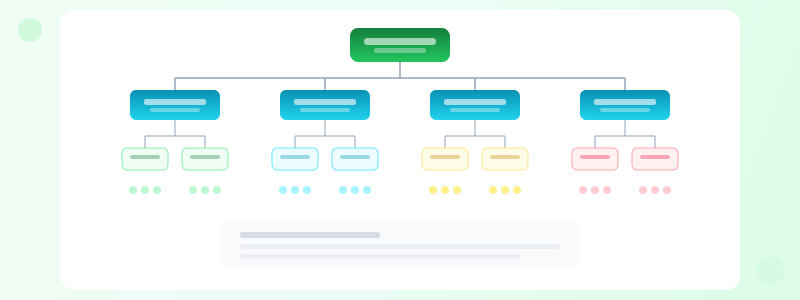
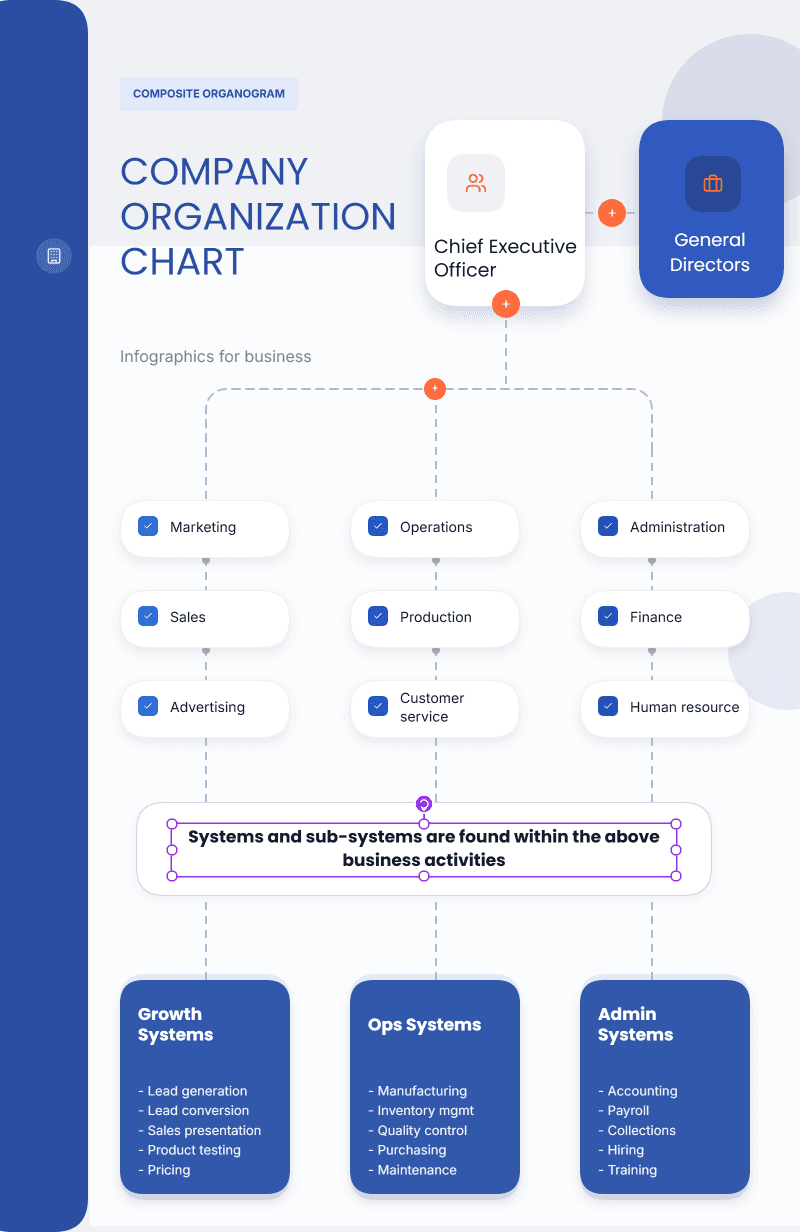
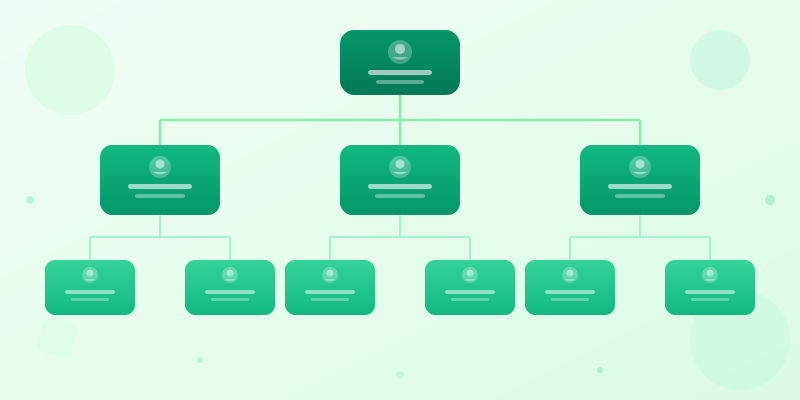
CEO at top. C-suite below. VP and director layer next. Individual contributors at the bottom. Everyone has exactly one manager. Lines of authority are unambiguous. This is the structure most people picture when they hear "org chart."
Example: CEO leads CFO (Controller, FP&A, AR/AP), CTO (VP Eng, 3 managers, 15 engineers), CMO (VP Marketing, Content, Demand Gen, Design), COO (VP Ops, CS Lead, 4 CSMs). Four branches, three levels deep. Clean and readable.
Pros: clear authority, obvious promotion paths, easy to explain to new hires. Cons: slow decisions because everything escalates, silos form between departments, and cross-team collaboration requires manager-level coordination.
This is the default for companies between 50 and 200 people. Build it with org chart maker in under ten minutes. See how to make org chart for multi-level setup and how to make hierarchy chart for deep tree structures.
2. Flat Org Chart (10-30 Person Startup)
Everyone reports to the CEO or one layer below. The benefit is speed. Decisions happen in standups, not committee meetings. Information flows directly without passing through three layers of management.
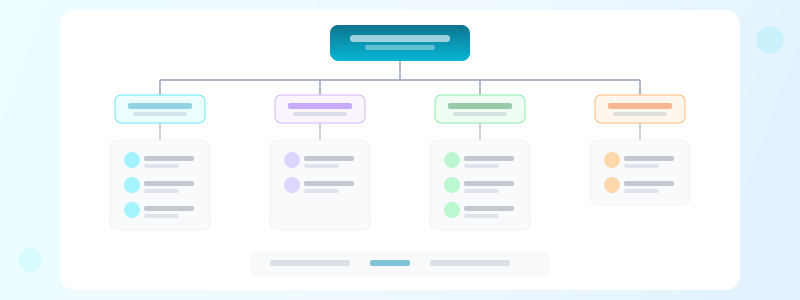
Example: CEO leads Head of Engineering (4 engineers), Head of Marketing, Head of Sales, Lead Designer, Head of Ops. That is the whole chart. Two levels total. Every person is one conversation away from the CEO.
Warning: flat breaks above 30-40 people. Nobody can effectively manage 12 direct reports. If your CEO has 12 reporting lines, that is flat-by-accident, not flat-by-design. Intentional flat means wide spans with autonomous people.
Build this in org chart maker. It takes about three minutes for a 15-person startup. Update it monthly as you hire — flat structures change fast. See how to present data for tips on keeping simple charts readable.
3. Matrix (Consulting and Agency)
Two bosses. A functional manager for career growth, skill development, and standards. A project manager for daily work, deadlines, and deliverables. This is standard at consulting firms, agencies, and large engineering orgs. It is the most complex structure to draw clearly.
Example: a UX designer reports to the Head of Design (career path, reviews, mentorship) and the FinTech Project Manager (daily tasks, sprint goals, client deliverables). Solid line for primary reporting. Dashed line for secondary.
Color-code by function: design in purple, engineering in blue, strategy in green, client services in orange. Colors let readers instantly identify which function each person belongs to, even when they sit in project-based teams.
The hierarchy chart maker handles multi-parent relationships that standard org chart tools cannot. See how to make hierarchy chart for setup tips. Build the chart in the editor if you need full color and layout control.
4. Divisional (Multi-Product Company)
Split by product line, geography, or customer segment. Each division operates semi-independently with its own functional teams. Think of each division as a mini-company inside the larger company. They have their own P&L, their own roadmap, their own culture.
Example: CEO leads Consumer Products (own sales, marketing, ops, engineering), Enterprise Software (own sales, engineering, CS), Professional Services (own delivery, sales, ops). Corporate functions like HR, Finance, and Legal serve all divisions as shared services.
Show corporate services in a horizontal band across the top of the chart. Divisions appear as columns below. Dotted lines connect divisions to shared functions. This layout is common at companies between $50M and $500M in revenue.
The tradeoff is duplication. Each division has its own marketing team, which means three marketing teams instead of one. That costs more but moves faster. Build this multi-column layout in the editor. See best infographic formats for multi-section visual strategies.
5. Squad-Based (Product-Led Tech)
Spotify popularized this model. Cross-functional squads own product areas end-to-end. Squads group into tribes by domain. Chapters connect people by discipline across squads. It sounds clean in blog posts. In practice, it is messy to visualize.
Example: Payments Tribe contains Checkout Squad (PM, 2 engineers, designer, data analyst), Invoicing Squad (PM, 3 engineers, designer), and Fraud Squad (PM, 2 engineers, data scientist). The Engineering Chapter spans all three squads for skill development and standards.
This is the hardest structure to draw clearly on one page. A single chart becomes spaghetti. Use two separate charts instead: one showing squad composition and one showing chapter membership. Color-code by tribe in the first, by chapter in the second.
Build both views in the editor with color grouping and clear legends. See how to present data for strategies on visualizing complex relationships. Use org chart maker for the squad view and hierarchy chart maker for the chapter view.
6. Functional (Manufacturing and Finance)
Grouped purely by discipline. All engineers together. All accountants together. All salespeople together. Regardless of product line or customer segment. This is the oldest and most common structure in traditional industries.
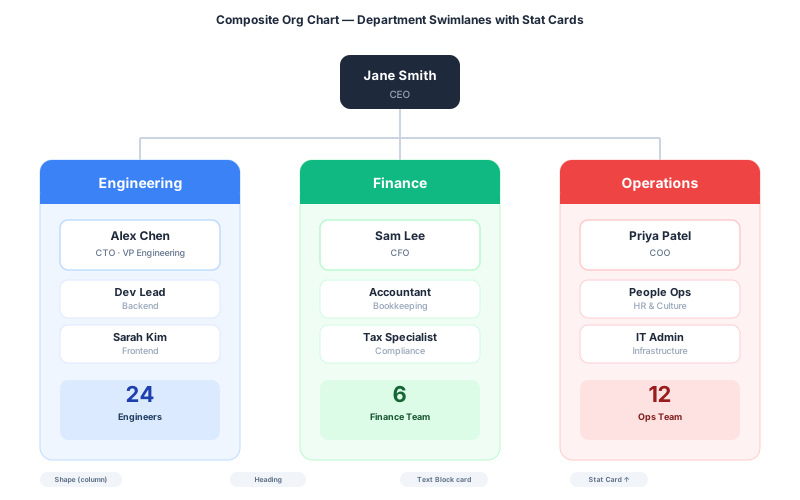
Example: CEO leads VP Manufacturing, VP Engineering, VP Sales, VP Finance, VP HR. Each VP owns their entire function from top to bottom. The VP of Sales manages every salesperson whether they sell Product A or Product B.
Maximizes specialization and expertise depth. Engineers learn from other engineers. Accountants train other accountants. The tradeoff? Cross-function coordination is slow and political. Launching a product requires five VPs to agree.
Works best when functions rarely need to collaborate on short timelines. Manufacturing, banking, and government agencies often use this. Build it in org chart maker — it is one of the simplest structures to draw. Five boxes below the CEO, each with their own tree.
7. Project-Based (Construction and Events)
Organized around active projects, not permanent departments. When a project ends, the team dissolves. When a new project starts, a team assembles. Common in construction, film production, event management, and government contracting.
People often appear in multiple places simultaneously. A structural engineer might be 50% on Project Alpha and 50% on Project Beta. Show allocation percentages on the reporting lines. Without percentages, nobody knows who is overcommitted.
This structure changes constantly — sometimes weekly. Keep the chart in the editor where updates take seconds, not hours. A stale project org chart is worse than no chart at all because people trust wrong information.
Add project end dates to each project box. Teams need to see when resources free up for reassignment. Browse templates for project-based layouts. See how to make org chart for tips on showing shared resources across projects.
Ready to build?
Open the free editor and start creating — no signup needed.
8-9: Hybrid and Seed-Stage
Most real companies above 100 people are hybrids. Hierarchical at the top, squad-based in product, functional in ops, project-based in professional services. No textbook structure survives contact with reality. Use different background colors for each organizational logic and add a legend.
The key to drawing a hybrid chart: acknowledge the complexity instead of hiding it. Label each section with its logic. "Product: squad-based. Operations: functional. Services: project-based." Readers need that context to understand why the chart looks different in different areas.
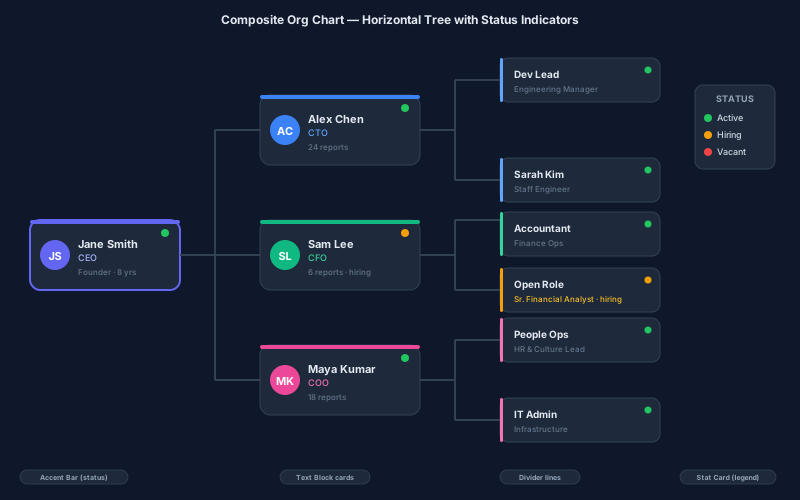
Seed-stage startups with 8-15 people still need org charts. They show investors the growth plan and signal to new hires how the company works. Show current reality on the main chart. Show planned hires as grayed-out boxes with "Q3 Hire" labels.
Browse templates for startup org chart starting points. Use org chart maker for quick builds. See how to present data for strategies that make complex hybrid structures readable without overwhelming the viewer.
10. Enterprise (500+ People)
Enterprise org charts never fit on one page. Trying to cram 500 people into a single diagram creates an unreadable mess. You need a top-level executive view and separate charts per department. Think of it as a map with zoom levels.
Top level: Board of Directors leads CEO leads CFO, CTO, CMO, CHRO, CLO, CRO, Chief of Staff. Each box shows name, title, and direct report count. No further depth on this chart. It should fit on a single slide.
Department charts go deep. CTO leads VP Engineering (4 engineering managers, 40 engineers), VP Product (3 directors, 12 PMs), VP Data (2 managers, 8 analysts). Label every chart with a date stamp. Enterprise orgs change quarterly.
Use org chart maker for each sub-chart. Cross-reference between charts with consistent naming: "Reports to CTO (see Executive Chart)." Store all charts in the same editor project. See best infographic formats for multi-page layout strategies.
11. Non-Profit
Key difference from corporate charts: the Board of Directors sits above the Executive Director, not below. Board members are volunteers who set strategy and fiduciary direction. They are the top of the chart, even though they are not employees.
Example: Board (12 members with committee breakdowns) leads Executive Director leads Program Director, Development Director (fundraising), Communications Director, Operations Manager. Four direct reports to the ED is typical for a mid-size non-profit.
Show committees as separate boxes with dotted lines to the Board. Finance Committee, Governance Committee, Program Committee. These advisory groups influence strategy but do not manage staff. Dotted lines make that distinction clear.
Funders and grant reviewers want to see governance clearly. Include this chart in every grant application and annual report. Build it in org chart maker. Use hierarchy chart maker if you need to show committee structures alongside the staff hierarchy.
12. Remote-First
Location affects collaboration more than most leaders admit. A lead in San Francisco with engineers in Berlin needs different communication rhythms than a co-located team. The org chart should make these constraints visible, not hide them.
Add time zone annotations to every box: "Engineering Manager — Berlin, CET." Department headers show geographic concentration: "Engineering (primary: Berlin/Warsaw, 2 in SF)." This tells everyone which meetings need to accommodate which time zones.
Include a communication protocol section at the bottom of the chart. Primary async channel: Slack. Weekly team sync: Zoom Tuesday 9 AM ET. Monthly all-hands: first Wednesday. The org chart becomes both a structure document and a collaboration guide.
Remote-first charts also need to show information flow, not just reporting lines. Who approves PTO? Who handles escalations after-hours? Add those secondary lines. Build this in the editor with multiple annotation layers. See best infographic formats for multi-section layout strategies.
Common Org Chart Mistakes
Mistake 1: Building the chart you wish you had instead of the one you actually have. Aspirational org charts confuse new hires who expect to find people in roles that do not exist yet. Show current state clearly. Use grayed-out boxes for planned hires.
Mistake 2: Making it too deep. If your chart has seven levels, nobody will read past the third. Executive charts should show three levels maximum. Department charts go deeper but stay focused on one team. Split into sub-charts if needed.
Mistake 3: Skipping the date stamp. Org charts go stale faster than any other company document. A chart from six months ago is often wrong in five to ten places. Add a "Last updated" date in the footer of every org chart you publish.
Mistake 4: Ignoring dotted lines. Matrix relationships, advisory roles, and committee memberships matter. If you only show solid reporting lines, you are hiding half the actual decision-making structure. Use org chart maker to show both solid and dashed relationships. See how to make hierarchy chart for multi-relationship patterns.
How to Choose the Right Structure for Your Company
Under 15 people? Go flat. Everyone reports to the founder. Adding layers at this size creates bureaucracy without benefit. A simple two-level chart is all you need. Build it in 5 minutes at org chart maker.
15 to 50 people? Add one management layer. Department heads reporting to the CEO. Keep it functional — engineering, marketing, sales, operations. This is where most startups are when they hire their first VP.
50 to 200 people? Pick between functional and divisional. If your products share the same team, stay functional. If each product needs its own team, go divisional. This is the hardest transition because it changes how people collaborate daily.
200+ people? You are almost certainly a hybrid. The VP level is functional. Below that, divisions or squads organize around products or customer segments. Accept that the chart will not be perfectly clean. Real organizations are messy. Your org chart should honestly reflect that messiness, not hide it.
Tools for Building Org Charts
Our org chart maker handles 90% of org chart use cases. Add nodes, connect them, color-code by department, export as PNG. No account needed. For simple reporting hierarchies, it takes under 10 minutes from start to finished export.
For non-org hierarchies — product taxonomies, file structures, category trees — use hierarchy chart maker instead. Same tree layout without the org-specific role/title fields. See how to make org chart for a step-by-step walkthrough.
Need the org chart as part of a larger company overview? Open the full editor and combine it with stat cards showing headcount, progress bars showing hiring goals, and timelines showing growth milestones. All 60+ widget types work together on one canvas.
For presentation-ready layouts, start from templates rather than a blank canvas. The grid structure and spacing are already professional. Just swap in your names and titles. Check how to present data for tips on making data-heavy documents scannable. See best infographic formats for layout patterns that work across industries.