Free Histogram Maker
Charts & GraphsCreate histograms online for free. Visualize frequency distributions with touching bars that show how data is spread across ranges. Download as PNG — no signup.
Free PNGNo signupNo watermark
Loading tool...
Was this tool helpful?
Watch the Tutorial
Drag a bin up or down to reshape a distribution, paste a raw column and let the bin edges work themselves out, then drop in the mean and median so the skew shows itself.
How to Use
- 1
Paste raw numbers
Dump your values straight from a spreadsheet column — any separators. They are binned automatically with clean, round bin edges.
- 2
Tune the bins
Slide the bin count to re-bin live, or touch a bar to switch to manual bins and set exact ranges and counts.
- 3
Touch the chart to edit it
Click the title, axis names, or any count and type. Drag a bar top to change its frequency.
- 4
Add statistics
Toggle mean and median overlays, a live stats strip (N, mean, median, σ, IQR), or the summary layout with editable callouts.
- 5
Download
Export a PNG that matches the preview 1:1 — free with no watermark.
Why Choose GraphMake?
What Is a Histogram?
A histogram is a chart that shows how a set of numerical values is distributed across a range. Instead of showing individual data points, it groups them into buckets (called "bins") and draws a bar for each bin whose height represents how many values fell into that bin. The bars touch each other because the bins are continuous — there is no gap between "10-20" and "20-30", they flow into each other.
Histograms were introduced by Karl Pearson in the late 1800s and became one of the foundational tools of statistics. Today they're used everywhere that numerical distributions matter: quality control, test scoring, demographic analysis, server performance monitoring, survey analysis, scientific research, and data science exploratory analysis.
The shape of a histogram tells you a lot at a glance. A bell-shaped histogram suggests a normal distribution. A skewed histogram suggests outliers or a biased process. A bimodal histogram (two peaks) suggests the data is actually two different groups mixed together. Reading histogram shapes is a core skill in data literacy.
When to Use Our Free Histogram Maker
Use a histogram whenever you have a set of numerical measurements and you want to see how they're distributed — not the individual values, but the overall pattern. Test scores, ages, salaries, response times, heights, weights, rainfall amounts, page load times — anything where "how is this variable spread out?" is the question you're trying to answer.
Don't use a histogram for categorical data (products, countries, colors, departments) — use a bar chart at bar chart maker for that. The visual difference is the gap between bars: histograms have touching bars because the bins are continuous, while bar charts have gaps because the categories are distinct. Our how to make histogram post explains this distinction in detail.
Our histogram maker runs in your browser for free. No signup, no paywall, no watermark. You define the bin ranges, enter the frequency counts, pick a color, and export as PNG. Total time for a simple histogram: under two minutes.
How Many Bins Should Your Histogram Have?
This is the most important decision you'll make when building a histogram, and there's no single correct answer. Too few bins and you hide the shape of the distribution — everything looks flat. Too many bins and you see noise instead of signal — every bin has one or two values and the shape gets jagged. The right number depends on how much data you have and what you're trying to show.
The most common rule is the square root rule: take the square root of the number of data points and round to the nearest integer. If you have 100 data points, use 10 bins. If you have 400, use 20. This rule is fast and usually good enough for visual exploration.
More precise rules exist: Sturges' rule (ceil(log2(n) + 1)), the Freedman-Diaconis rule (uses the interquartile range), and Scott's rule (uses the standard deviation). These matter for serious statistical work but rarely change the visual story much. For most presentation histograms, 5 to 15 bins work well. Our how to make histogram walkthrough covers when to use each rule.
Why GraphMake Beats Other Histogram Makers
Excel can make histograms, but the default styling is dated and tweaking it into something presentable takes more time than it should. Google Sheets added histogram support but the bin controls are primitive. Online histogram calculators like Socscistatistics and Datatab produce histograms but they're research-grade ugly — you wouldn't put them in a client report.
GraphMake's histogram widget outputs something that actually looks good out of the box. Clean spacing, modern typography, customizable colors, proper bar-touching continuity. The export is a crisp PNG you can drop straight into a slide deck, a blog post, or a report without any additional editing.
Beyond styling, GraphMake lets you combine the histogram with other widgets on the same canvas. Put a stat card showing the mean next to the histogram, add a text block explaining the context, maybe a small callout highlighting the outliers — all in one infographic. Our editor supports 60+ widget types so the histogram doesn't have to carry the whole story.
Histogram Best Practices
Use equal-width bins unless you have a specific reason not to. Unequal bin widths can distort the visual comparison because the eye uses bar height to judge frequency. If you use unequal widths, you should technically plot density (frequency divided by width) instead of raw frequency — and at that point you've lost most of your audience.
Label the x-axis with the variable's name and units. "Response Time (ms)" is clear; "Time" is ambiguous. Label the y-axis with "Frequency" or "Count" so readers don't have to guess what the bar height represents.
Avoid the temptation to make the histogram 3D or rainbow-colored. Distribution charts should be boring visually so the shape carries the meaning. One color, clean bars, readable labels — that's all a good histogram needs. Our data visualization best practices post covers this principle in depth.
If you have outliers that squish the rest of the distribution into one bin, consider cutting off the x-axis or using a log scale. Otherwise your histogram becomes "99% of data in one bin, plus one tiny bin far to the right", which is useless.
Histogram vs Bar Chart vs Density Plot
A histogram shows the distribution of a continuous numerical variable using bins. A bar chart shows values for discrete categories — products, departments, countries. The bars in a bar chart have gaps because the categories are separate; the bars in a histogram touch because the bins are continuous. Getting this wrong is the single most common mistake in data viz beginner work.
A density plot is a smoothed version of a histogram. Instead of showing discrete bins, it draws a continuous curve representing the estimated probability density. Density plots are better when you have a lot of data and want to focus on the overall shape; histograms are better when you have less data and want exact counts. For most business audiences, a histogram is more intuitive.
A box plot shows a distribution's summary (median, quartiles, outliers) in a compact form, which is useful for comparing multiple distributions side-by-side. If you're comparing the distribution of one variable across several groups, use a box plot or a grouped histogram — not several separate histograms.
Export and Share Your Histogram
When your histogram looks right, click Download PNG. The image pastes cleanly into slide decks, email, blog posts, and most documents — free with no watermark.
The export is free with no watermark. If you're building a recurring report and you want to reuse the same histogram format with different data, export it as JSON — you can re-import it any time and just swap out the numbers.
For academic papers or scientific reports, SVG is the preferred format because it embeds cleanly in LaTeX and Word without pixelation. For web articles, PNG is simpler and loads faster. Either way, the output is ready to publish.
What You Can Create
Test Score Distribution
Show how student scores are distributed across grade ranges.
Age Demographics
Visualize the age distribution of a customer base or population.
Response Times
Show the frequency of server response times in millisecond ranges.
Salary Distribution
Display how salaries are spread across income brackets.
Start from a Template
Jump-start your design with a ready-made layout — just replace the data.
Frequently Asked Questions
How do I make a histogram from raw numbers?
Paste the raw values — one per line or comma-separated — and the bins are worked out for you. You do not need to pre-group anything, which is the step people usually get wrong in a spreadsheet.
Can I change the number of bins?
Yes. A Bins slider appears once values are pasted. Bin count changes the story a histogram tells more than any other setting, so try a few — too many bins looks like noise, too few hides the shape.
What is the difference between a histogram and a bar chart?
A histogram shows the distribution of one continuous variable, so the bars touch and the order is fixed by value. A bar chart compares separate categories, so the bars have gaps and can be reordered.
What should I look for in the shape?
Where the mass sits, how wide the spread is, whether it is skewed, and whether there are two humps. A double hump usually means two populations have been mixed into one dataset.
Can I edit the labels on the chart?
Yes — click the title, axis labels, or values on the chart and type. The preview is exactly what exports.
How many data points do I need?
At least 30 or so before the shape means anything. Below that the bin heights swing on single values and you are reading randomness.
What is this used for?
Response times, test scores, salary bands, delivery delays, session lengths — any measurement where the spread matters more than the average.
Related Tools
Free Bar Chart & Bar Graph Maker
Create bar charts, bar graphs, and column charts online for free. Use horizontal or vertical bars, grouped or stacked layouts, custom colors, and PNG export - no signup, no watermark.
Try it freeFree Chart Maker Online
Create bar, pie, line, donut, and other charts online for free. Data visualization without code — paste your data, customize colors and labels, then export a clean PNG instantly. No signup, no watermark.
Try it freeFree Stat Card Maker
Create eye-catching statistic cards for infographics, dashboards, and presentations. Highlight key numbers with bold typography and icons. Free, no signup.
Try it freeLearn More
Chart Types Explained: Which Chart Should You Use for Your Data?
Bar vs. line vs. pie — every chart type has a job. Here's when each one works, when it doesn't, and how to pick the right format without overthinking it.
Read more
Data Visualization Best Practices: 6 Rules for Better Charts
Most charts fail because of a handful of avoidable mistakes. Here are the rules that separate clear, effective data viz from confusing noise.
Read more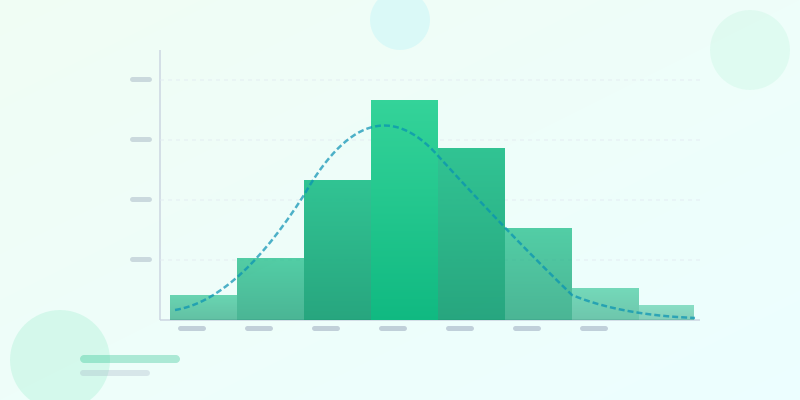
How to Make a Histogram Online — Free Histogram Maker
Create a free histogram online in seconds. Paste your data, choose bin size, customize the chart, and export as PNG. Step-by-step guide with examples.
Read more