Pitch Infographic Maker
Infographics & ContentMake a one-page visual pitch for sharing on LinkedIn, Twitter, web, or as a leave-behind. Stat cards, traction charts, team grid, problem-solution layout. Free PNG export.
Free PNGNo signupNo watermark
Loading tool...
Was this tool helpful?
How to Use
- 1
Start from an example
Pick Seed SaaS pitch, Marketplace launch or AI infra memo.
- 2
Choose a layout
Investor one-pager, Traction slide or Fundraising memo.
- 3
Fill in your story
Company, one-liner, problem, solution, market and the round you are raising, in the Data panel. Add metrics and growth-chart points as you need them.
- 4
Size it
Pick the canvas size in the Size panel.
- 5
Download
Download PNG is free with no watermark. Pro adds SVG and HD PNG at 2×, 3× and 4×.
Why Choose GraphMake?
Why one-page pitches outperform decks for outreach
A 12-slide deck is the right artifact when you have someone's full attention for 20 minutes. For cold outreach, social media, and the first 30 seconds of an investor's morning email triage, a slide deck is the wrong format. They will not click through 12 slides. They will glance at the first frame and decide whether to keep reading.
A one-page visual pitch puts the whole story on the first frame. Problem, solution, traction, ask — visible at a glance. The reader can absorb it in 5 seconds, decide whether to engage, and reply or save it for later. The 12-slide deck comes after — if the one-pager earns the meeting.
GraphMake gives you the format. The widget mix is already pitch-tuned: stat cards for traction, line charts for growth, callouts for problem/solution, icon rows for team. Drop them onto one canvas, type your text, and export a PNG for LinkedIn or email.
Frequently Asked Questions
Is this a slide deck tool like PowerPoint or Pitch?
No. This is for one-page visual pitches — single canvas, designed to be shared as an image on social media, the web, or as a leave-behind. For multi-slide presentations (10-15 slides for a meeting), use PowerPoint, Google Slides, Pitch.com, or Tome. Many founders use both: a full deck for meetings, a one-pager for cold outreach and social.
When should I use a one-page pitch vs a full deck?
One-pagers work for: cold LinkedIn outreach, Twitter posts about your raise, email attachments where attention is short, leave-behinds after a meeting, web embeds on your site or About page. Full decks are for: live presentations, formal investor meetings, due diligence, and any audience that has already opted into a longer pitch.
What goes on a one-page pitch?
Standard structure: problem (1-2 lines), solution (1-2 lines), traction stats (3-4 numbers in a row), growth chart, team (icons + names), and what you are raising/where you are going. Optional: a customer logo grid, a market-size stat, or a comparison vs incumbents.
Can I export at HD for LinkedIn?
Yes, with Pro: HD PNG at 2×, 3× and 4×, plus a vector SVG. The free download is a standard PNG with no watermark.
Are there one-pager templates?
Yes — three layouts (Investor one-pager, Traction slide, Fundraising memo) and three starting pitches (Seed SaaS, Marketplace launch, AI infra memo). Pick the closest one and change the words and numbers.
Can AI generate a one-page pitch?
Yes: in the /editor, click AI Generate and describe your pitch; the layout lands on your canvas, ready to edit. A free account includes 3 AI generations, and Pro includes more. Without an account, copy a prompt from the AI Prompts tab into ChatGPT or Claude with your pitch details, then paste the script into Import. See /script for the syntax and example prompts.
Related Tools
Free Stat Card Maker
Create eye-catching statistic cards for infographics, dashboards, and presentations. Highlight key numbers with bold typography and icons. Free, no signup.
Try it freeFree Chart Maker Online
Create bar, pie, line, donut, and other charts online for free. Data visualization without code — paste your data, customize colors and labels, then export a clean PNG instantly. No signup, no watermark.
Try it freeDashboard Mockup Maker
Create visual dashboard mockups for reports, pitches, and screenshots. Drag stat cards, KPI rings, and charts onto one canvas. Not a live BI tool — for presentation graphics. Free, no signup.
Try it freeLearn More
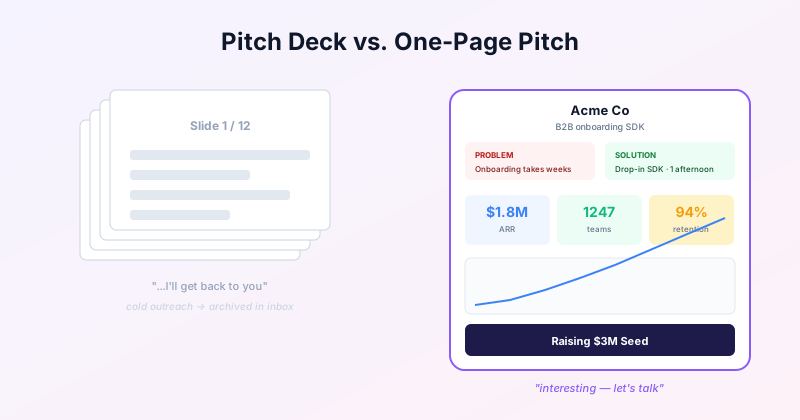
The One-Page Pitch Infographic: When a Deck Is the Wrong Format
A one-page visual pitch outperforms a 12-slide deck for cold outreach, social, and email. The standard layout, when to use it, and how to make one for free.
Read more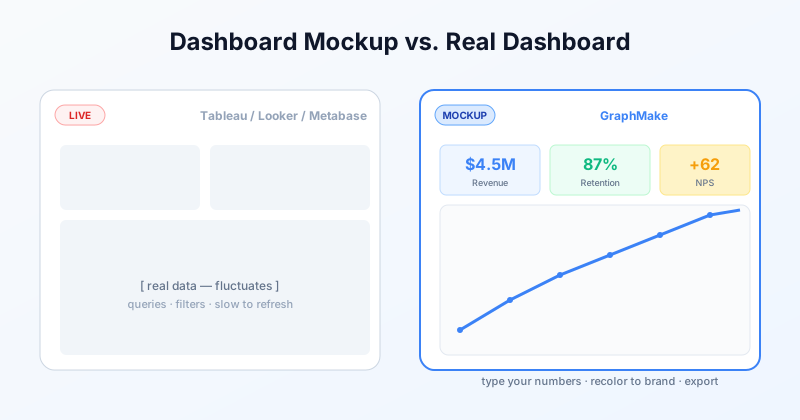
Free Dashboard Mockup Tool: a Dashboard to Show, Not Query
Make a visual dashboard mockup for pitches, design specs, or marketing screenshots. Free, no signup. Different from Tableau or Looker — built for static presentation graphics.
Read more