What Are Flowchart Examples?
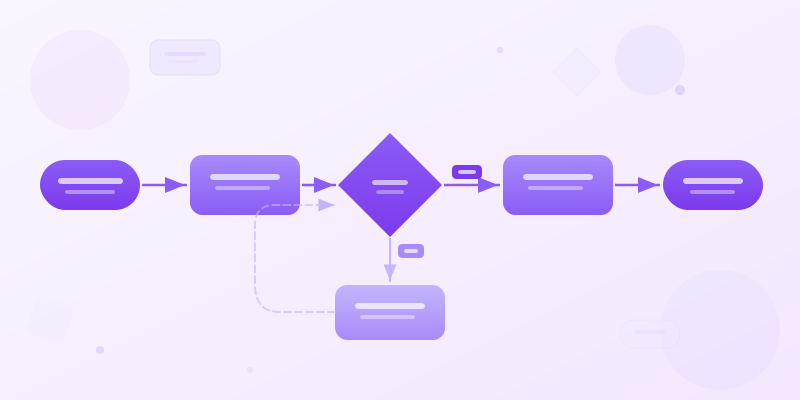
Flowchart examples are sample diagrams that show how steps, decisions, branches, and endpoints fit together. A good example makes the logic easy to copy: start point, action steps, decision diamonds, labeled yes/no paths, and a clear endpoint.
Flowcharts turn invisible processes into visible diagrams. Every organization runs on processes — hiring, onboarding, bug triage, customer support, content publishing. But most processes live only in people's heads. That's fine until someone goes on vacation and nobody knows step 3.
A flowchart externalizes the logic. It shows the steps, the decisions, the branches, and the endpoints. When it's on paper (or screen), you can spot redundancies, bottlenecks, and missing edge cases that are invisible in prose.
Below are 15 flowchart examples organized by category. Each one demonstrates a different layout, complexity level, and decision pattern. Build any of them at flowchart maker or learn the shapes at flowchart symbols. If you need process flow diagram examples without decision logic, use process flow diagram examples instead.
Business Process Flowcharts
Example 1: Employee onboarding. Start → HR sends offer → candidate accepts? (Yes/No branch) → Yes: background check → provision accounts → assign buddy → first day orientation → End. The No branch leads to pipeline review. Every step has an owner. This is the #1 most-requested flowchart in HR departments.
Example 2: Purchase approval workflow. Request submitted → Amount > $5K? → Yes: needs VP approval → Approved? → Yes: procurement processes → End. Under $5K routes directly to manager approval. Layer in a timeline maker to show expected timelines per step.
Example 3: Customer support escalation. Ticket received → Is it P1 (outage)? → Yes: alert oncall immediately → page engineering → incident bridge. No: standard SLA routing → L1 → unresolved? → L2 → unresolved? → L3 → resolved → close ticket. Simple but saves hours of confusion during incidents.
Decision Flowcharts
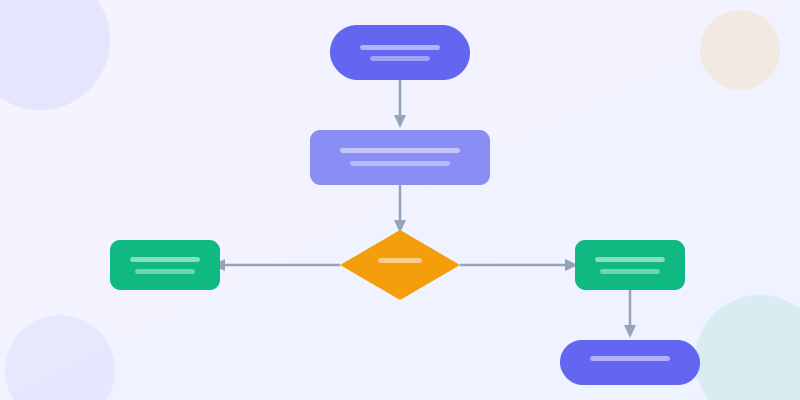
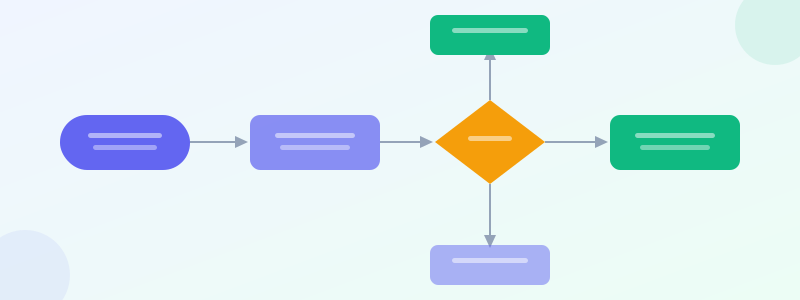
Decision flowcharts are the most powerful variant — they turn complex choices into a series of yes/no questions. Each question narrows the path until you reach a recommendation.
Example 4: "Which chart should I use?" Start → Comparing values? → Yes: Bar chart. Showing parts of whole? → Pie chart. Showing trends over time? → Line chart. Showing relationships? → Scatter plot. This is a meta-flowchart for data visualization — and one of the most shared formats online.
Example 5: "Should I accept this job offer?" Questions: Does it pay more? → Is the role a step up? → Is the commute acceptable? → Do you respect the manager? → Terminal nodes: Accept, Negotiate, or Decline. Personal decision flowcharts go viral on social media.
Example 6: Troubleshooting guide. "WiFi not working?" → Is the router on? → Can you see the network? → Can you reach the gateway? Each No branch has a fix action. IT departments publish these as internal tools. Build yours at flowchart maker.
Software and Technical Flowcharts
Example 7: User authentication flow. User submits credentials → valid format? → check database → credentials match? → Yes: generate JWT → return token. No: increment failed attempts → locked out? → show lockout message. This is the diagram every junior developer should draw before writing auth code.
Example 8: CI/CD pipeline. Push to main → lint → unit tests → pass? → build Docker image → deploy to staging → smoke tests → pass? → deploy to production → notify Slack. Failures branch to "alert team + block deploy." Every DevOps team needs this on their wiki.
Example 9: API request lifecycle. Request received → auth middleware → rate limit check → route handler → database query → format response → return. Error at any step routes to error handler → log → return error response. Draw this with flowchart maker and annotate with flowchart symbols.
Example 10: Bug triage. Bug reported → reproducible? → No: request more info → wait. Yes: severity? → Critical: hotfix branch → fix → deploy. Medium: add to sprint. Low: add to backlog. This flowchart prevents the "everything is urgent" problem.
Marketing and Sales Flowcharts
Example 11: Lead qualification (MQL → SQL). Inbound lead → score > 50? → Yes: SDR reaches out within 24h → responds? → Yes: demo scheduled (SQL). No response: 3-touch cadence → still no? → move to nurture. Score < 50: automated nurture sequence → re-score in 30 days.
Example 12: Content publishing workflow. Idea proposed → approved by editor? → writer assigned → first draft → editorial review → revisions needed? → Yes: loop back → No: design assets → SEO check → schedule → publish → promote on social. Map this in process flow maker.
Example 13: Email campaign logic. Send email → opened? → Yes: clicked CTA? → Yes: add to hot leads. Opened but didn't click: send follow-up in 3 days. Didn't open: resend with new subject line in 48h → still no open: suppress. This is the flowchart behind every email automation tool.
Education and Personal Flowcharts
Example 14: Study method selector. What type of exam? → Multiple choice: use flashcards + practice tests. Essay-based: outline + practice writing. Problem-solving: work through examples. Oral: record yourself explaining. Simple, but students share these constantly.
Example 15: Morning routine optimizer. Wake up → check time → running late? → Yes: skip breakfast → grab coffee → commute. No: full routine → exercise → breakfast → commute. Add decision points for weather, meetings, and energy level. Personal flowcharts are surprisingly popular on Pinterest and Instagram.
Flowcharts work for any domain where steps have branches. If you're writing "if this, then that" in prose, you should be drawing a flowchart instead.
Ready to build?
Open the free editor and start creating — no signup needed.
Flowchart Design Tips
Use standard shapes. Rectangles for actions, diamonds for decisions, ovals for start/end, parallelograms for input/output. Learn them at flowchart symbols. Using standard shapes means anyone can read your flowchart without a legend.
Flow top-to-bottom or left-to-right. Don't zigzag. The main path should follow a single direction. Branches can go sideways, but the happy path stays linear.
Keep text short. Each shape gets 3-7 words. Not sentences. "Verify credentials" not "The system will verify the user's credentials against the database." Details belong in documentation, not the flowchart.
Color-code branches. Main path in blue, error path in red, edge cases in gray. This visual hierarchy lets readers follow the happy path first and explore exceptions later. Use color palette maker to pick a consistent scheme.
Swimlane Flowchart — Show Handoffs Between Roles
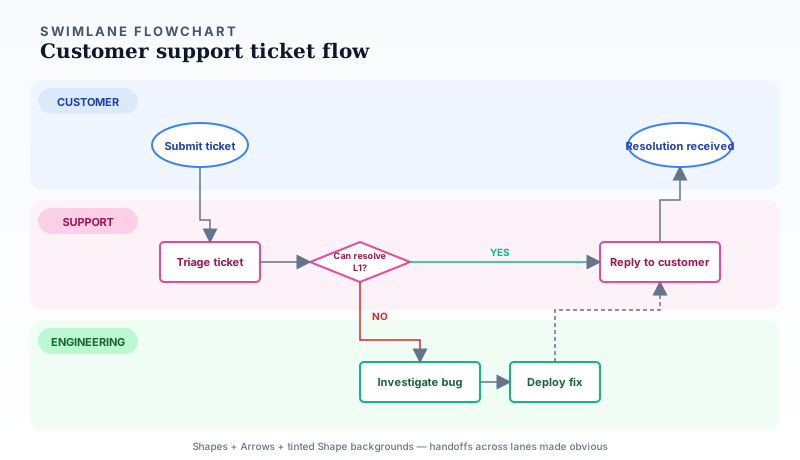
Standard flowcharts chain steps in a single lane. Real processes cross roles. A support ticket passes from customer → support → engineering → back to customer. A purchase order travels from requester → manager → finance → vendor. When hand-offs between roles matter, swimlane flowcharts make the choreography visible in a way a single-chain flowchart cannot.
The example above shows a three-lane ticket flow where the diamond "Can L1 resolve?" branches either to a same-lane Support reply or down to Engineering and back. Dashed arrows mark cross-lane handoffs so readers immediately see where the process crosses role boundaries. Build it on the editor canvas using tinted Shape widgets as lane backgrounds and the standard flowchart shapes inside each lane.
Flowchart + Metrics: Process With Live Health
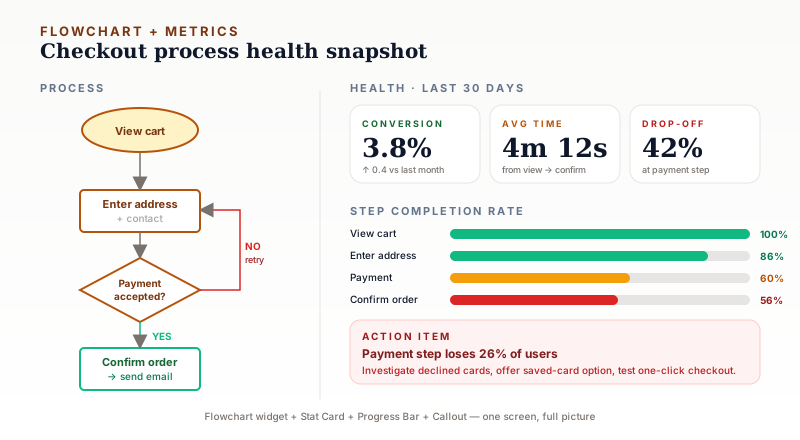
A second composite pattern — pair the flowchart with data about the process itself. Left side: the four steps of a checkout flow. Right side: three stat cards (conversion, avg time, drop-off), progress bars for each step, and a red callout flagging the biggest loss.
This is the format product managers and ops leads actually want for weekly reviews. The flowchart alone shows how something is supposed to work. The metrics alone show performance without context. Together they answer where to focus — in the example above, 26% of users bail at payment, so that is the bug to fix. Combine the flowchart widget with stat card maker and progress bar maker on the editor canvas.
Build Your Flowchart
Start at flowchart maker — add steps, connect them with arrows, customize shapes and colors, and export as PNG. Free, no signup.
Need the flowchart inside a larger document? Open editor and combine it with stat card maker KPIs, timeline maker phases, or process flow maker step sequences. Browse templates for process-themed layouts.
For shape reference, see flowchart symbols guide. For process diagrams without decision logic, try process diagram maker instead.