Why Process Flow Diagrams Work
Most processes live in someone's head. Or scattered across Slack threads and Google Docs nobody reads. A flow diagram forces those hidden steps into the open. It turns tribal knowledge into shared knowledge.
Ambiguous handoffs become obvious. Bottlenecks surface immediately. New hires stop guessing who does what. Teams that document their top five processes see fewer escalations and faster onboarding across the board.
The best part? You do not need fancy software. A simple box-and-arrow diagram covers 80% of business processes. Start with flowchart maker for branching logic or process diagram maker for linear steps. Both are free and require no signup.
Below are 15 real examples spanning HR, engineering, sales, and finance. Each one includes the structure, key decision points, and tips for building your own. Grab the how it works template as a starting point if you want to follow along.
1. Employee Onboarding (HR)
Six to eight steps across HR, IT, and the hiring manager. Offer accepted, background check, IT provisions accounts, equipment ships, Day 1 check-in, manager intro, systems confirmed, 30-day review. Each step has a clear owner and a deadline.
Decision point at background check: pass continues, fail notifies the hiring manager. Color-code departments so anyone sees their part instantly. HR gets blue, IT gets green, the hiring manager gets orange.
This is the most common swim lane use case. Three lanes — one per department — show who owns each step. Without swim lanes, onboarding feels like one long list. With them, every handoff is explicit. See how to make process flow chart for swim lane setup.
Most companies onboard 10-50 people per year. A documented flow saves 2-3 hours per hire in back-and-forth messages. Build this once in the editor and link it from your HR wiki. It pays for itself on the first hire.
2. Customer Support Ticket Flow
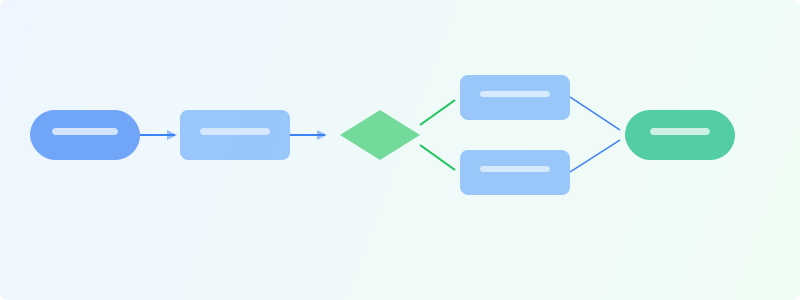
Ticket created, auto-categorized, assigned to tier-1. Agent attempts fix within 4 hours. Resolved? Close and send satisfaction survey. Not resolved? Escalate to tier-2 with full notes attached.
Key branches: known issue with a documented fix? Send the KB link and close. Billing issue? Route to billing directly, skip tech support. Refund over $500? Manager approval required before processing.
Build this in flowchart maker. Diamond decision shapes handle branching logic perfectly. A documented flow cuts new-agent training time by 40-60%. Instead of shadowing for two weeks, new agents follow the diagram from day one.
Add response time targets to each step. Tier-1 responds in 4 hours. Escalation acknowledged in 1 hour. Manager approval within 24 hours. The diagram becomes your SLA enforcement tool. See how to make flowchart for decision gate patterns.
3. Software Sprint Cycle
Backlog refinement, sprint planning, development, standups, code review, QA, staging, stakeholder review, production deploy, retro. Then back to refinement. It is a loop, not a line. Most teams draw it wrong as a straight sequence.
This is a cycle diagram, not a linear flow. GraphMake's cycle widget handles circular processes natively. Or build a looped flowchart in the editor with an arrow from retro back to refinement.
Decision points: QA fails? Back to dev with a bug ticket. Stakeholder rejects staging? Back to dev with change requests. Each rejection loop needs a clear re-entry point. See how to make flowchart for cycle options.
Pin this diagram in your team wiki. New engineers always ask the same question: "What happens after code review?" A visible cycle answers it without interrupting anyone. Use process flow maker to build it in under five minutes.
4. Manufacturing Quality Control
All about decision gates. Materials received, incoming inspection, pass or fail. Fail means return to supplier with a deficiency report. Pass means store in inventory and proceed to production scheduling.
Production runs hit in-process inspections at each major stage. Pass continues to the next operation. Fail quarantines the batch for root cause analysis. A single quality gate can prevent thousands of dollars in defective output.
Final inspection: meets spec? Ship it. Does not meet spec? Decision branch: rework if fixable, scrap if not. Each path has different cost implications. The diagram makes those costs visible to the production team.
Use green paths for pass, red for fail. Color alone communicates the flow to floor supervisors at a glance. The flowchart symbols guide covers every standard symbol including inspection gates. Build this in flowchart maker with color-coded decision branches.
5. Sales Pipeline
Lead generated, qualified, discovery call, demo, proposal, negotiation, contract signed, handoff to customer success. Each stage needs a clear exit criterion. Without criteria, your pipeline is just a wish list.
A lead moves from discovery to proposal only when budget is confirmed and a decision-maker is identified. Without these gates, reps waste weeks chasing unqualified deals. Write the exit criteria directly on the diagram.
Show conversion rates between stages. 40% of demos reach proposal. 60% of proposals close. The funnel widget in the editor shows this narrowing naturally. See how to make process flow chart for connecting stages with conversion annotations.
The handoff to customer success is where most teams drop the ball. Add a checklist at that transition: signed contract uploaded, kickoff call scheduled, implementation timeline shared. Build the full pipeline in process diagram maker.
6. Content Approval Workflow
Brief created, writer drafts, editor reviews, revisions if needed, brand/legal review, final approval, publish. Marketing teams burn hours on this loop every single week. The average blog post goes through 3-4 revision cycles without a clear flow.
Make veto power explicit in the diagram. Brand review is advisory — suggestions, not blockers. Legal review is a hard gate — nothing publishes without sign-off. This one distinction eliminates half the confusion in content teams.
Add turnaround times to each step: draft in 3 days, editor review in 1 day, brand feedback in 2 days, legal in 5 days. The diagram becomes your SLA. When someone misses a deadline, the flow shows exactly where the bottleneck is.
Build this in process flow maker with color-coded steps per role. Writers in blue, editors in green, legal in red. See how to make workflow chart for multi-role workflow setup. Pin the finished diagram in your project management tool.
7. Incident Response (IT/DevOps)
When production breaks at 3 AM, nobody should be figuring out the process. An incident flow removes decision overhead in a crisis. Panic plus ambiguity equals extended downtime.
Alert triggered, on-call acknowledges within 15 minutes, severity assessment. P1: war room, wake the team, notify leadership. P2: lead engineer assigned, 4-hour resolution target. P3: next available engineer picks it up during business hours.
Use red for P1, orange for P2, yellow for P3. The color tells anyone at a glance how serious the situation is. Pin the diagram in your runbook and link it from your monitoring tool alerts.
Post-incident: every P1 gets a blameless post-mortem within 48 hours. Add that step to the flow. Teams that skip post-mortems repeat the same incidents. Build the full response flow in process flow maker. See flowchart best practices for branching patterns.
8. E-Commerce Order Fulfillment
Order placed. Payment authorized? No: send failed payment email, cancel order. Yes: check inventory. In stock? No: send backorder notice with estimated date. Yes: pick, pack, ship, deliver, confirm.
This flow has parallel paths. Payment verification and fraud checks can run simultaneously. Use split and merge symbols to show parallel handling. Parallel paths cut fulfillment time by running independent checks at the same time.
Returns deserve a separate diagram entirely. Link the two with a reference note. One giant diagram covering ordering, fulfillment, shipping, and returns helps nobody. Break it into focused sub-flows that connect at handoff points.
Add timing targets: payment verification in 30 seconds, picking in 2 hours, shipping label generated same day. Build this in flowchart maker. See how to make process flow chart for parallel path notation.
9. Performance Review Cycle
Manager notified, self-assessment, peer feedback collected, review meeting, development plan created, compensation review, HR records updated, next review date set. Eight steps that most companies run twice a year.
Decision point: review surfaces a performance concern? Branch into a PIP (performance improvement plan) process with its own timeline. No concern? Continue to the standard development and promotion track. Making this branch explicit protects both the company and the employee.
Add timing to every step: self-assessment by Week 1, peer feedback by Week 2, review meeting by Week 3, HR documentation by Week 4. When timelines are visible, managers stop procrastinating on reviews.
The how it works template adapts well for HR processes like this. Customize it in the editor with your company's specific steps. See how to make process flow chart for multi-stage process setup.
Ready to build?
Open the free editor and start creating — no signup needed.
10. Budget Approval
Under $500? Auto-approved. $500-$5K? Department head signs off. $5K-$25K? VP plus cost center review. Over $25K? CFO and executive committee. Simple thresholds, but surprisingly few companies publish them clearly.
The thresholds are the whole point of this diagram. Every employee should know these numbers without emailing finance. Publish the flow in your wiki, your expense tool, and your onboarding materials.
Add turnaround times at each level. Department head: 1 business day. VP: 3 business days. CFO: 5 business days. Include an urgency path: contact your finance business partner for emergency CFO sign-off within 24 hours.
Build this in process flow maker. Use diamond decision shapes at each threshold. Color-code by approval level: green for auto-approved, yellow for department, orange for VP, red for executive. See flowchart symbols guide for standard notation.
11-13: Recruitment, Data Breach, Product Launch
Recruitment: requisition approved, job posted, applications screened, phone screen, on-site interviews, skills assessment, reference checks, offer extended, onboarding triggered. Track time-to-hire per stage to find bottlenecks. Build it in flowchart maker with swim lanes for candidate, recruiter, and hiring team.
Data breach response: detect the incident, contain the damage, assess scope, check regulatory notification requirements. GDPR starts a 72-hour clock from the moment you confirm a breach. Legal notifications and internal communications run in parallel. This diagram lives in your security runbook — not in a drawer.
Product launch: QA complete, beta rollout at 5% of users, monitor for one week, ramp to 25%, then 50%, then 100%. Error rate above 0.5%? Rollback immediately. Revenue drop exceeding 2%? Pause and investigate. See how to make flowchart for decision gate patterns.
Each of these three flows handles high-stakes processes where mistakes are expensive. A missed step in breach response means regulatory fines. A skipped gate in product launch means broken features for millions. Build all three in the editor and keep them current.
14. Invoice Processing
Three-way match: does the invoice match the purchase order and the delivery receipt? All three match? Schedule payment for the next payment run. Discrepancy? Contact the vendor for correction before processing anything.
Exceptions need their own branches. Over $50K needs extra approval from the controller. Vendor not on the approved list? Procurement review first. Past-due invoices over 30 days escalate to the AP manager automatically.
AP teams with documented flows process invoices 40-50% faster. The diagram eliminates the "who do I ask?" question that stalls every new AP clerk. Build this in the editor with swim lanes for each approval tier.
Add payment timing annotations: net-30, net-60, early payment discount deadlines. A 2% early payment discount on a $100K invoice is $2,000 saved. The diagram should highlight those discount windows. See flowchart best practices for exception handling patterns.
15. Customer Offboarding
Everyone documents onboarding. Almost nobody documents offboarding. That means missed final billing, orphaned data, and terrible last impressions. Your offboarding experience shapes whether they ever come back.
Cancellation request received, exit interview offered, access revoked, final invoice generated, data export provided (GDPR/CCPA requirement), data deleted per retention policy, win-back email triggered at 30 and 90 days.
The exit interview step is optional but valuable. A two-question survey captures why they left. Product teams mine this data for retention improvements. Skip it and you lose free intelligence about your churn drivers.
Build the full customer lifecycle — onboarding, support, renewal, offboarding — in process diagram maker. Use a consistent visual style across all four stages. Link them together so anyone can trace the complete journey. See how to make workflow chart for connected multi-phase flows.
Common Mistakes in Process Flow Diagrams
Too many steps. If your diagram has 30+ steps, nobody will read it. Break it into sub-processes. Show the high-level flow on one diagram and link to detailed sub-flows for each phase. A manager needs the overview. The person doing the work needs the detail. Do not force both audiences through the same diagram.
Missing decision points. Real processes have branches. If yours looks like a straight line with 12 steps, you are probably hiding complexity that will bite you later. Ask "what happens if this step fails?" at every stage. Each answer is a potential decision diamond.
No ownership labels. A process diagram that does not say who does each step is a wishlist, not a workflow. Label every step with the responsible role or team. This is where most processes break down — not because the steps are wrong, but because nobody knows who owns them.
Outdated diagrams. A process flow created two years ago and never updated is worse than no diagram. People follow it, hit steps that no longer exist, and lose trust in all your documentation. Review and update process diagrams quarterly at minimum. Build in flowchart maker so updates take minutes, not hours.

Tips for Better Process Diagrams
Use color to encode roles, not decoration. Marketing steps in blue, engineering in green, legal in red. The color tells you who is responsible before you even read the label. This is faster than swim lanes for simple processes with 2-3 roles.
Add time estimates to critical steps. "Legal review: 5 business days" next to the step. This turns your process diagram into an SLA document. When someone asks "why did this take three weeks?" the diagram shows exactly where time was spent.
Keep text inside shapes short. Three to five words per step. "Submit for review" not "Submit the completed draft document to the editorial review team for initial feedback." If you need more detail, add a footnote or link to a procedures document.
Test the diagram with someone who has never done the process. Hand it to a new hire and ask them to walk through it. Every question they ask is a gap in your diagram. See how to make process flow chart for the full step-by-step guide to building one from scratch. Use flowchart symbols guide to pick the right shape for each step type.
How to Pick the Right Diagram Type
Linear process with no branches? Use process diagram maker. Numbered steps in a straight line. Simple, clear, done. Most HR and compliance processes fit this pattern.
Multiple decision points with yes/no branches? Use flowchart maker. Diamond shapes handle branching cleanly. Support ticket flows and quality control processes almost always need diamonds.
Multiple departments involved in the same process? Add swim lanes. Each horizontal lane represents one team or role. Handoffs between lanes become visible immediately. See flowchart best practices for guidance on when lanes help versus when they add clutter.
When in doubt, start with a simple linear flow. You can always add branches and lanes later. Starting complex means you will never finish the diagram. The how it works template gives you a clean starting point for any process type.
How to Show a Long Process Clearly
A long process diagram should not be one giant chain of tiny boxes. Use it as an overview first: group the work into phases, show the handoffs between phases, and move detailed sub-steps into smaller supporting diagrams.
For example, a customer lifecycle process might use one high-level diagram for onboarding, usage, renewal, and offboarding. Each phase can then link to its own detailed flow. This keeps the main diagram useful for managers while still giving operators the detail they need.



